> ## Documentation Index
> Fetch the complete documentation index at: https://help.sendspark.com/llms.txt
> Use this file to discover all available pages before exploring further.
# How to Clear Site Data
> Learn how to clear site data in Chrome to fix Sendspark issues. Reset your browser storage and resolve loading problems quickly.
Is Sendspark not working for you on Google Chrome? Follow these steps to reset Sendspark on Chrome!
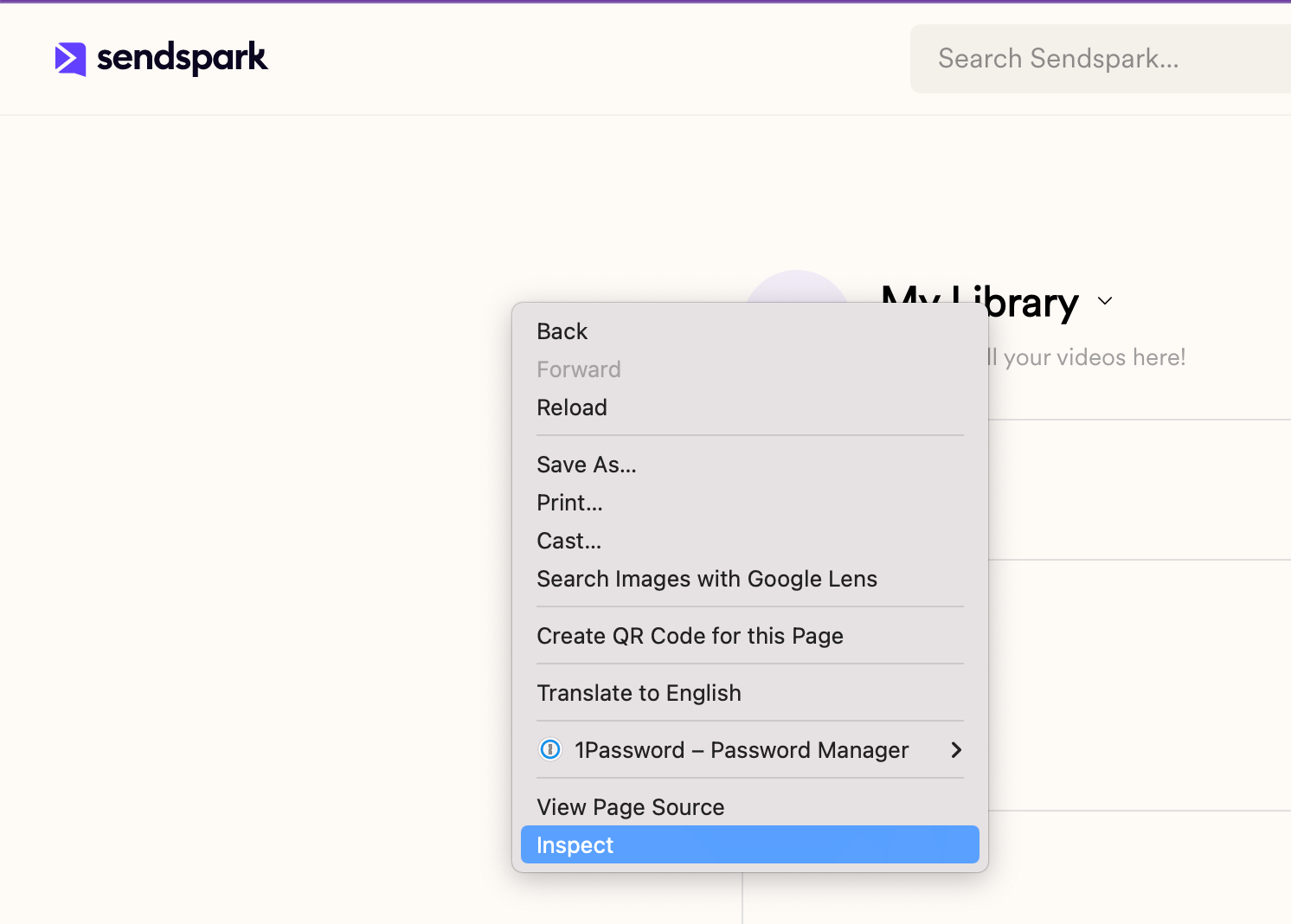
1. **Right click** over the Sendspark page and select **Inspect**
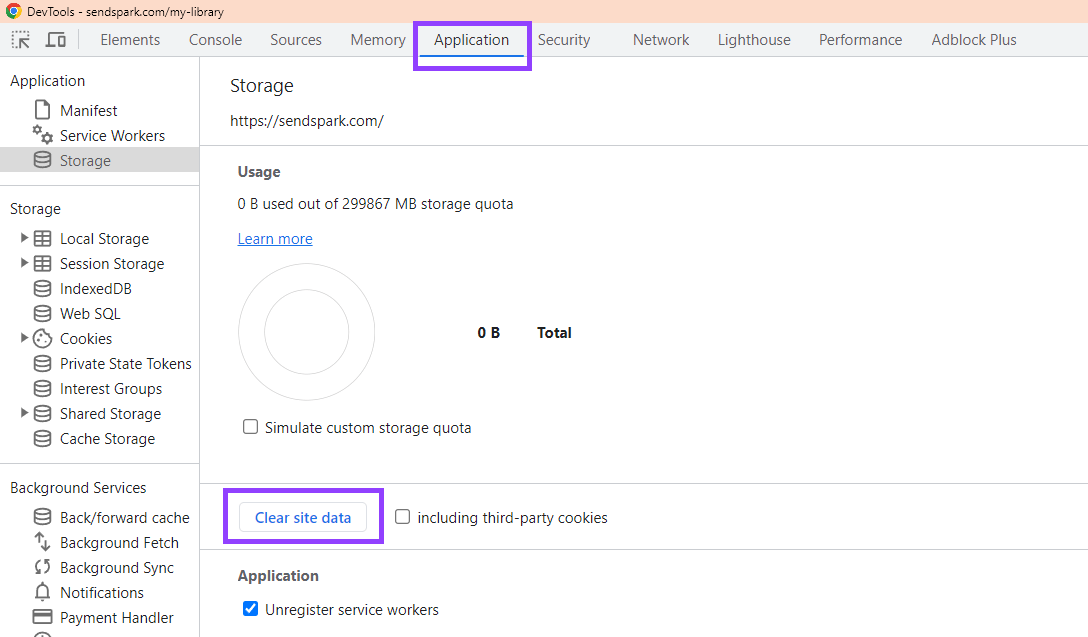
 2. Go to **Application** → **Storage** and click **"Clear site data"**\
 3. **Refresh the page**and log in again.