> ## Documentation Index
> Fetch the complete documentation index at: https://help.sendspark.com/llms.txt
> Use this file to discover all available pages before exploring further.
# How to Change Your Email Address and Password
> Learn how to change your email address and password in Sendspark with these simple steps to update your account credentials.
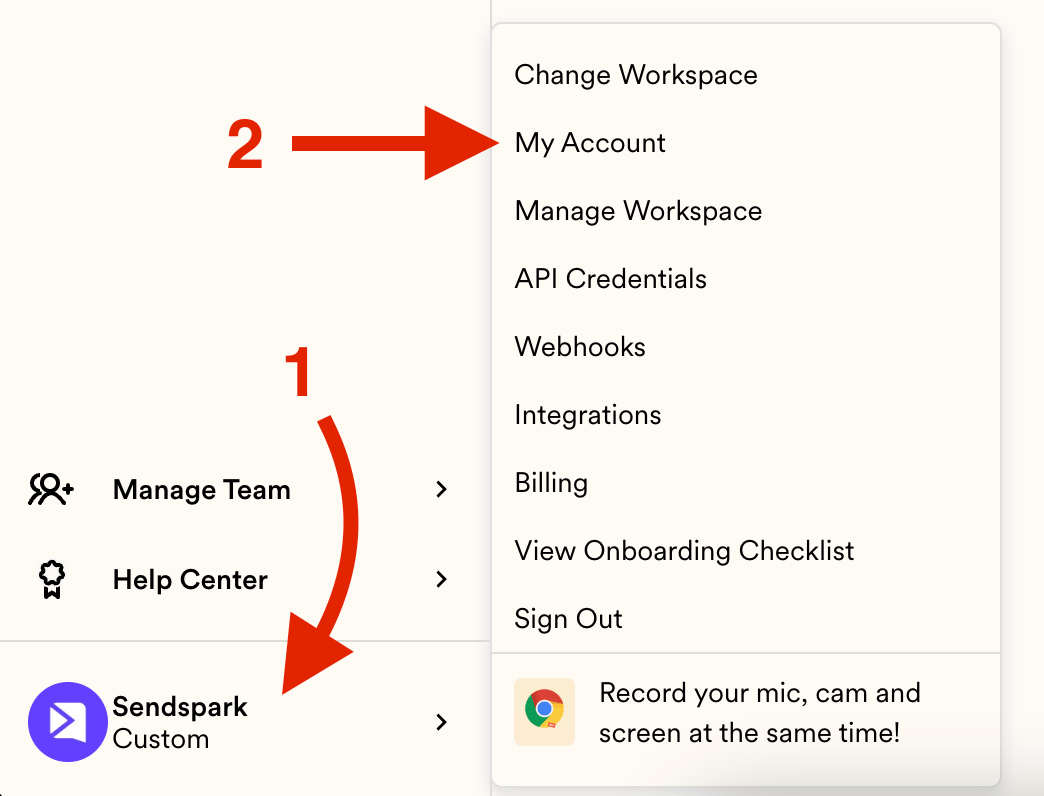
To change your email address and password in Sendspark, click your menu and go to My Account. This opens your profile, where you can set new credentials under the Account Information section. Hit UPDATE to finish, then use your new credentials to log in. If you run into any issues, email [support@sendspark.com](mailto:support@sendspark.com).
## Key takeaways
* Open the menu and head to My Account to reach your profile.
* Set your new email and password under the Account Information section.
* Hit UPDATE to save your changes, then log in with the new credentials.
* If you have any issues, email [support@sendspark.com](mailto:support@sendspark.com).
Are you suddenly changing your email domain or leaving behind your old email to adopt a new one?
These short steps will guide you to easily change your email in Sendspark as well:
**Start by clicking on your menu and heading to My Account:**
 **You'll then jump straight into your profile:**
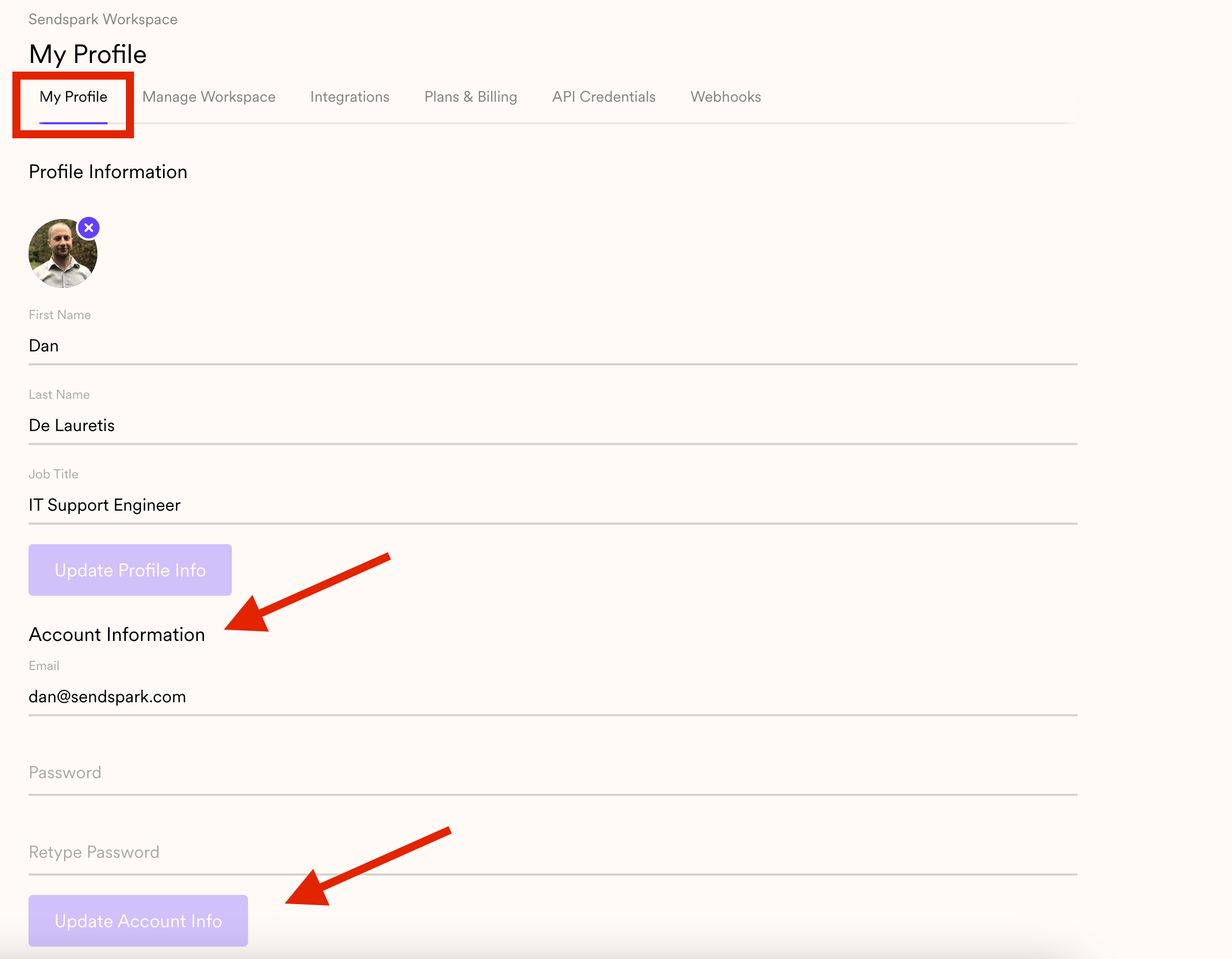 **Under Account Information, you'll be able to set your new credentials**
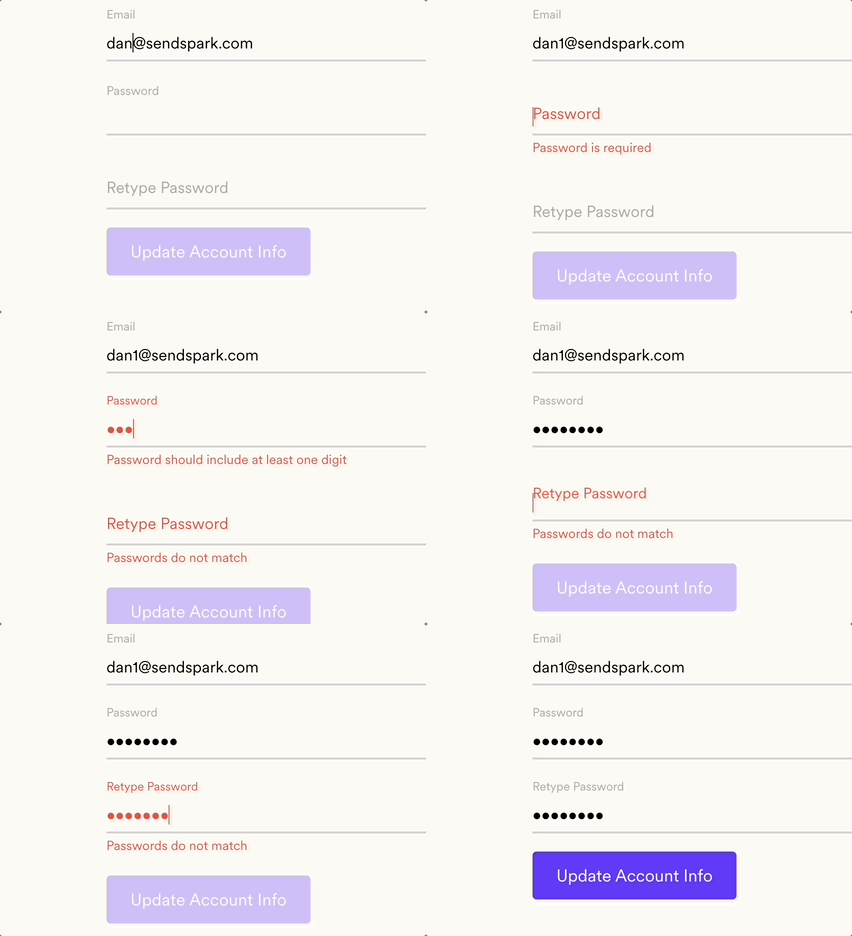 **Hit on UPDATE to finish the process**
You are all set! You can now use these credentials to log in to your account.
If you have any issues through this process, kindly send an email to: [support@sendspark.com](mailto:support@sendspark.com)
## Frequently asked questions
Click on your menu and head to My Account. This opens your profile, and under the Account Information section you'll be able to set your new credentials.
Enter your new email and password under Account Information, then hit UPDATE to finish the process. You can then use these credentials to log in to your account.
If you have any issues through this process, send an email to [support@sendspark.com](mailto:support@sendspark.com) and the team will help.
*Updated July 2026.*
**Hit on UPDATE to finish the process**
You are all set! You can now use these credentials to log in to your account.
If you have any issues through this process, kindly send an email to: [support@sendspark.com](mailto:support@sendspark.com)
## Frequently asked questions
Click on your menu and head to My Account. This opens your profile, and under the Account Information section you'll be able to set your new credentials.
Enter your new email and password under Account Information, then hit UPDATE to finish the process. You can then use these credentials to log in to your account.
If you have any issues through this process, send an email to [support@sendspark.com](mailto:support@sendspark.com) and the team will help.
*Updated July 2026.*