> ## Documentation Index
> Fetch the complete documentation index at: https://help.sendspark.com/llms.txt
> Use this file to discover all available pages before exploring further.
# How to Bulk-Delete Videos
> Learn how to bulk-delete videos in Sendspark. Step-by-step guide for efficiently removing multiple videos from your account at once.
To bulk-delete videos in Sendspark, drag to select the videos you want to remove, hover over any of them and click the 3 dots to open the BULK DELETE option, then type DELETE in all caps and confirm. Deleted videos cannot be retrieved, so move any you might reuse into a folder first.
## Key takeaways
* Bulk-delete in three actions: drag to select videos, click the 3 dots to open BULK DELETE, then type DELETE in all caps to confirm.
* Deletion is permanent. Once videos are deleted they cannot be retrieved.
* If you are unsure, create a new folder and move the videos there so you can re-use them in a later campaign instead of deleting them.
* There are several other places you can delete videos individually, covered in the [how to delete a video](/how-to-delete-a-video) article.
Sendspark makes it easy to delete many videos at once.
Deleting videos is always a good idea to maintain a neat library, but keep in mind that once the videos are deleted, they cannot be retrieved.
If you are not entirely sure about deleting the video, we suggest creating a new folder and transferring the videos over to that folder so that you can re-use them at a later campaign.
There are many ways and places where you can delete videos. Take a look at [this article](/how-to-delete-a-video) to learn more about it.
## Here's how you can bulk-delete videos
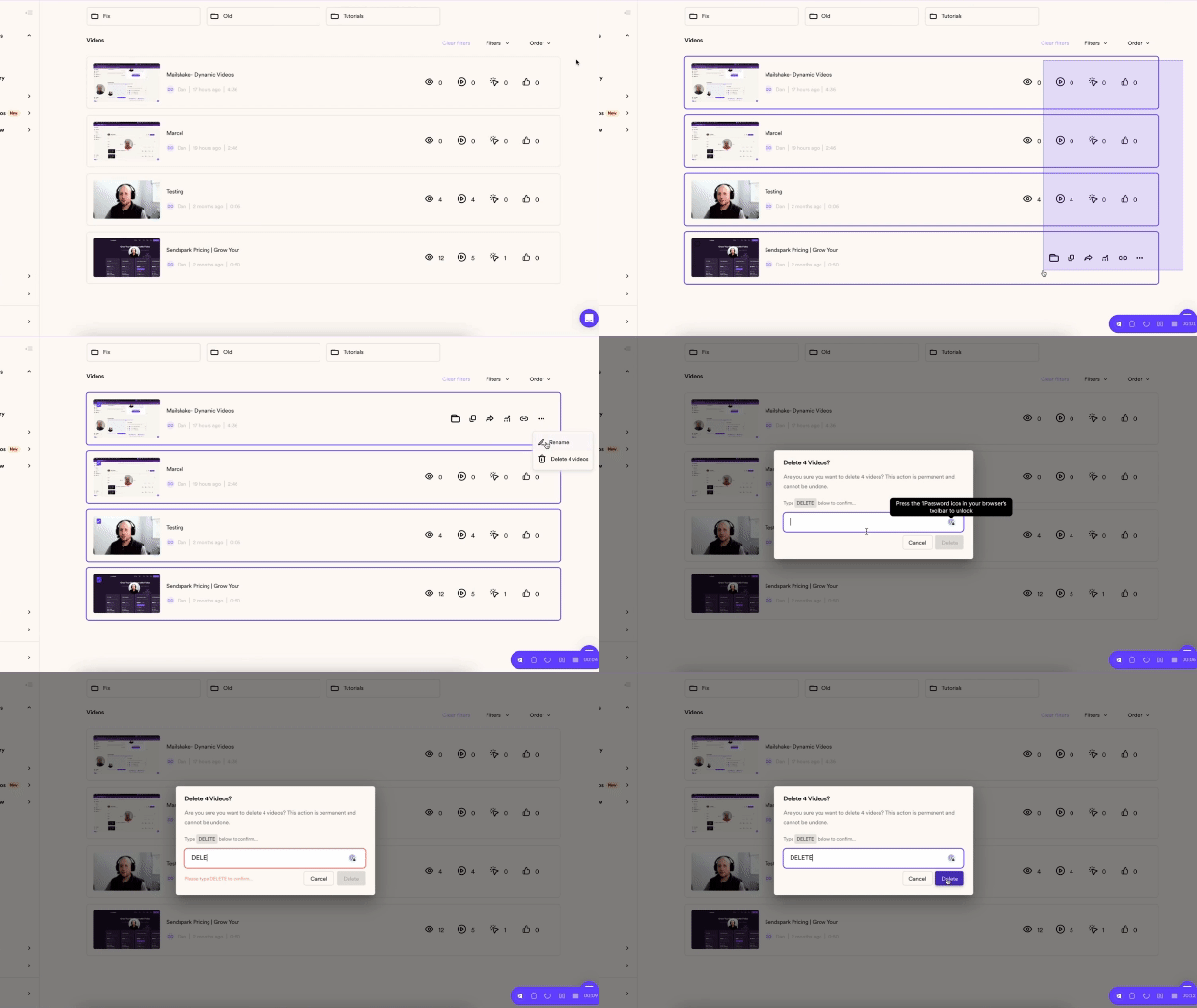 Drag and select the videos you want to delete\
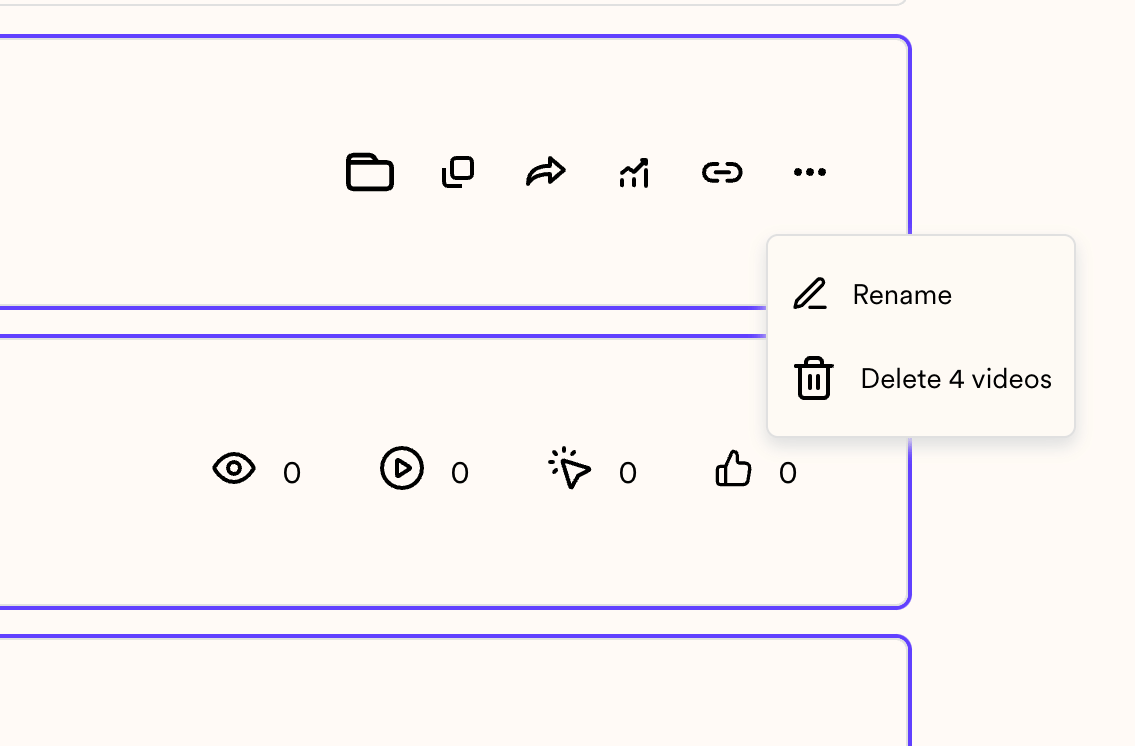
 ...hover over any of them and click on the 3 dots to deploy the BULK DELETE option:
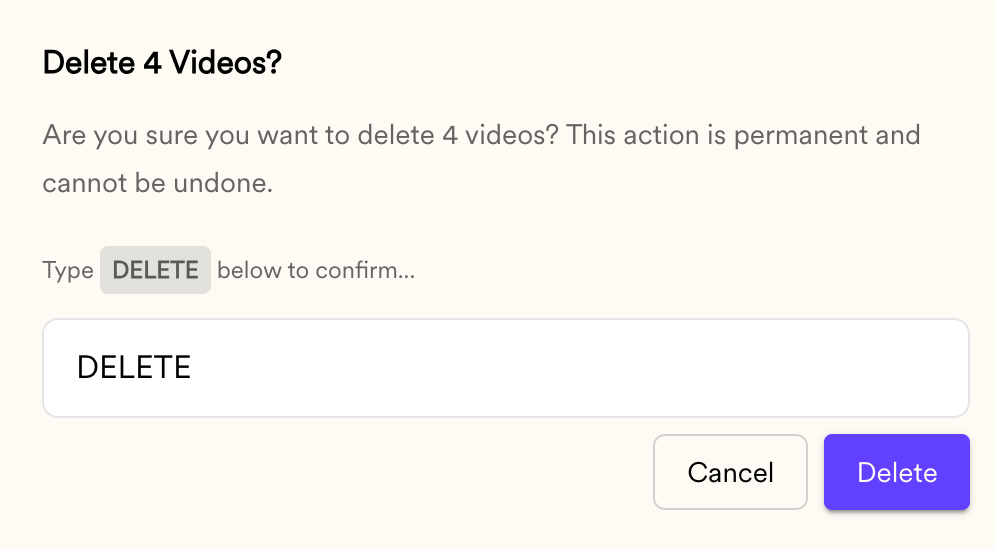
 Now, type DELETE in all caps and hit delete:\
 ## Frequently asked questions
No. Once videos are deleted they cannot be retrieved. If you are not entirely sure about deleting a video, move it to a separate folder instead so you can re-use it in a later campaign.
Drag and select the videos you want to delete, then hover over any of the selected videos and click the 3 dots to open the BULK DELETE option.
Typing DELETE in all caps is a confirmation step to prevent accidental bulk deletion, since deleted videos cannot be recovered.
Yes. There are several places where you can delete videos individually. See the [how to delete a video](/how-to-delete-a-video) article for the options.
*Updated July 2026.*
## Frequently asked questions
No. Once videos are deleted they cannot be retrieved. If you are not entirely sure about deleting a video, move it to a separate folder instead so you can re-use it in a later campaign.
Drag and select the videos you want to delete, then hover over any of the selected videos and click the 3 dots to open the BULK DELETE option.
Typing DELETE in all caps is a confirmation step to prevent accidental bulk deletion, since deleted videos cannot be recovered.
Yes. There are several places where you can delete videos individually. See the [how to delete a video](/how-to-delete-a-video) article for the options.
*Updated July 2026.*