> ## Documentation Index
> Fetch the complete documentation index at: https://help.sendspark.com/llms.txt
> Use this file to discover all available pages before exploring further.
# How Merge Tag Fallbacks Work
> Learn how merge tag fallbacks work in Sendspark to display default text when viewer information is unavailable for video
Merge tag fallbacks are the default text Sendspark shows when a viewer's information is unknown. Sendspark includes built-in fallbacks: First Name becomes "there", Company Name becomes "your company", and Job Title becomes "professional". You can also overwrite the fallback per video without affecting your other videos.
## Key takeaways
* Merge tags let you personalize videos at scale with placeholders for First Name, Company Name, and Job Title, usually pulled from your email sending platform.
* When viewer information is unknown, Sendspark shows the **fallback text** instead of leaving a blank.
* Built-in fallbacks: First Name → **"there"**, Company Name → **"your company"**, Job Title → **"professional"**.
* You can overwrite a fallback on the video you're editing; this does not affect fallbacks on your past or future videos.
Sendspark lets you add **merge tag**s to personalize your videos at scale.
On your video pages, you can add placeholders for these terms:
* First Name
* Company Name
* Job Title
When you send out your videos, the viewer's information will be automatically added to your video.
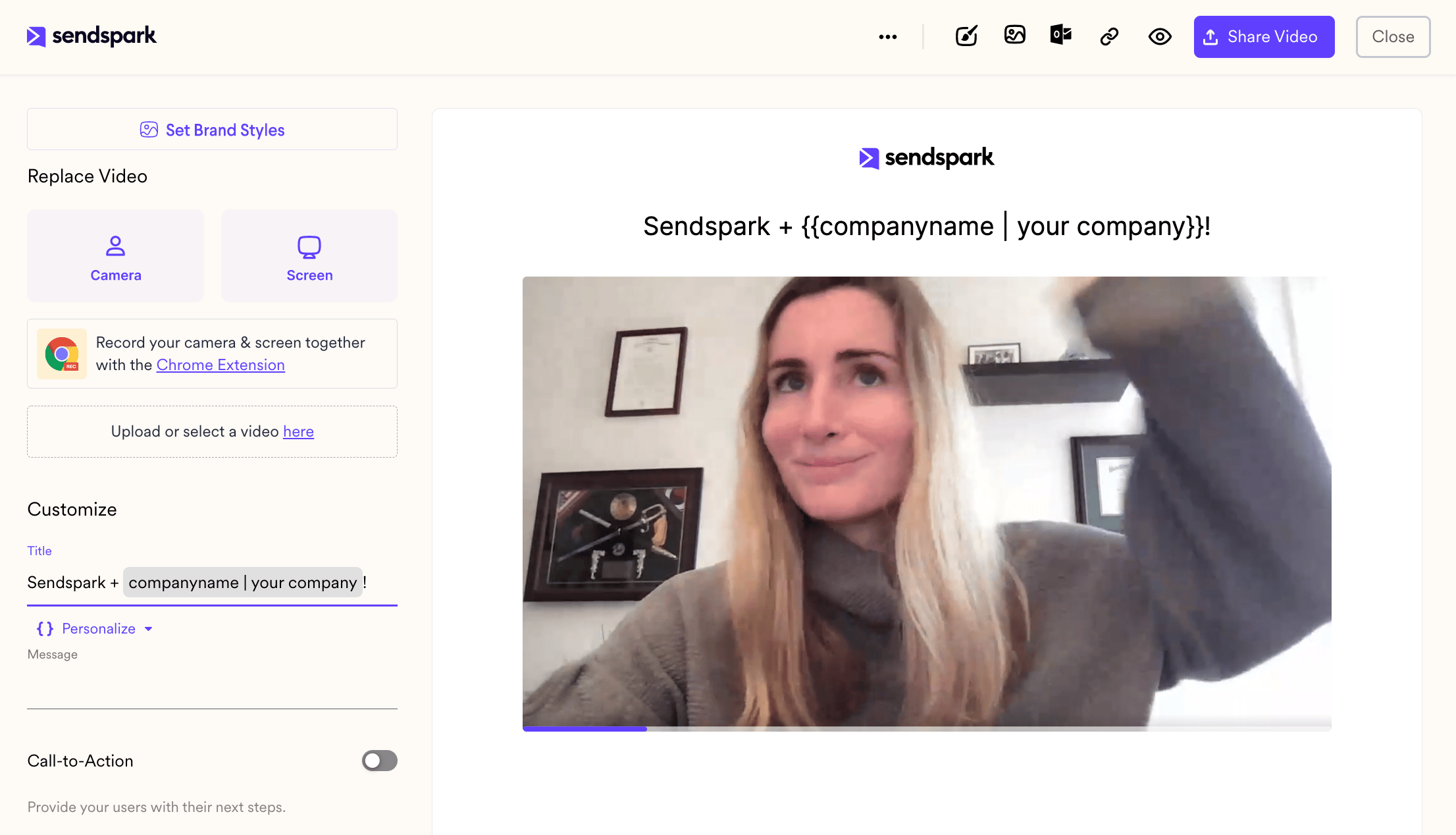 We are usually able to access the correct information from your email sending platform (Hubspot, Outreach, etc.).
## But, what happens if we cannot access the correct information?
This is where **merge tag fallbacks**come in.
If the viewer information is unknown, we will show the fallback text.
We are usually able to access the correct information from your email sending platform (Hubspot, Outreach, etc.).
## But, what happens if we cannot access the correct information?
This is where **merge tag fallbacks**come in.
If the viewer information is unknown, we will show the fallback text.
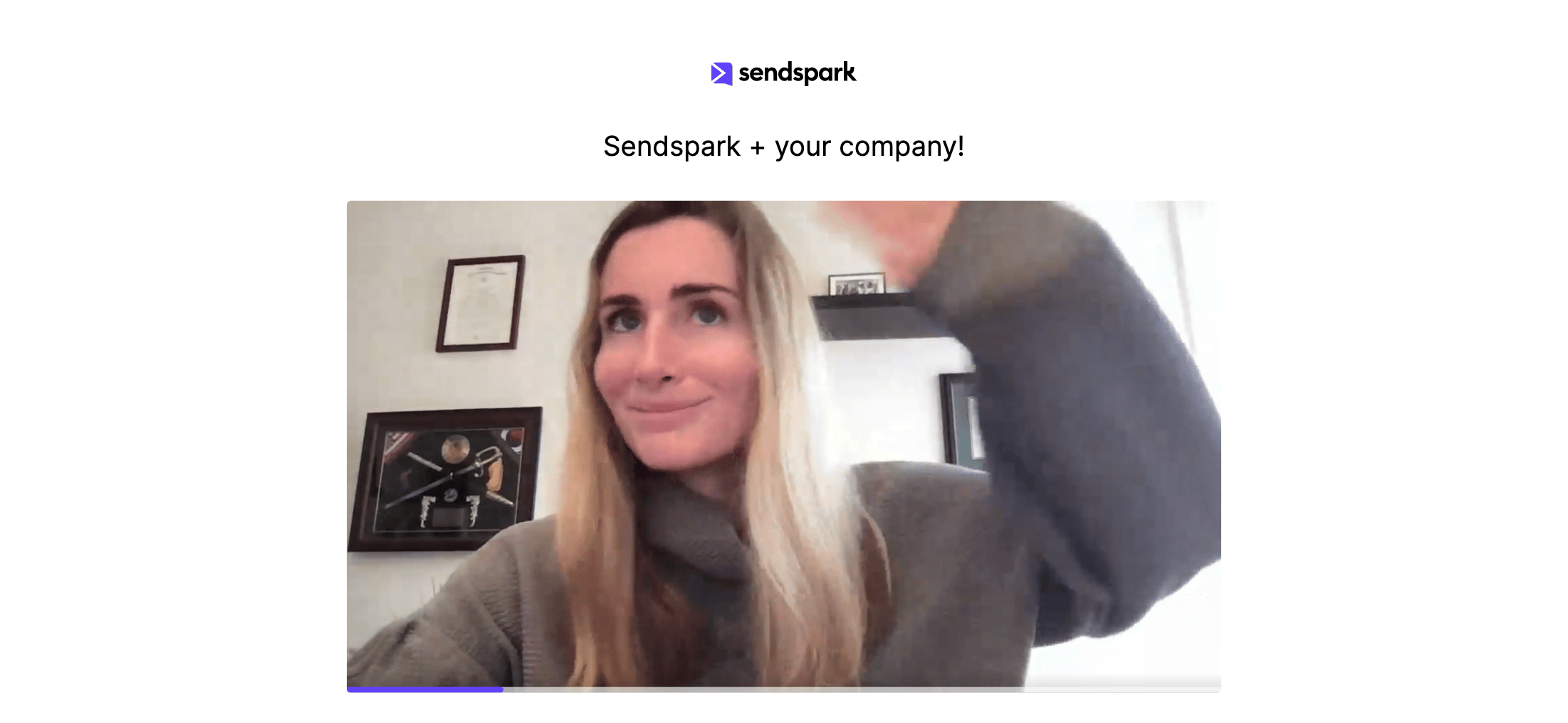 Sendspark has built-in fallbacks to make your life easier:
* First Name → **"there"**
* Company Name →\*\*"your company"\*\*
* Job Title → **"professional"**
So, if you are to use a title like, "Hi #\{\{Name}}, as a #\{\{job title}} at #\{\{company}}..." that could turn into one of these 2 scenarios:
* **Information is known:** "Hey Jeff, as a founder at Amazon..."
* **Information is unknown:**"Hey there, as a professional at your company..."
You are also able to overwrite these for each video if you would like to use a different fallback for that context.
When you overwrite the fallback variables, this does NOT affect the fallback videos on your past or future videos. It only affects the video that you are presently editing.
***
## Frequently asked questions
It's the default text Sendspark displays when it can't access a viewer's information. Instead of showing a blank where a placeholder would go, the fallback text appears.
First Name falls back to **"there"**, Company Name falls back to **"your company"**, and Job Title falls back to **"professional"**. So an unknown viewer might see "Hey there, as a professional at your company..."
Sendspark is usually able to pull the correct First Name, Company Name, and Job Title from your email sending platform, such as HubSpot or Outreach. The fallback is used only when that information isn't available.
Yes. You can overwrite the fallback variables for the video you're currently editing. Doing so only affects that video, not the fallbacks on your past or future videos.
*Updated July 2026.*
Sendspark has built-in fallbacks to make your life easier:
* First Name → **"there"**
* Company Name →\*\*"your company"\*\*
* Job Title → **"professional"**
So, if you are to use a title like, "Hi #\{\{Name}}, as a #\{\{job title}} at #\{\{company}}..." that could turn into one of these 2 scenarios:
* **Information is known:** "Hey Jeff, as a founder at Amazon..."
* **Information is unknown:**"Hey there, as a professional at your company..."
You are also able to overwrite these for each video if you would like to use a different fallback for that context.
When you overwrite the fallback variables, this does NOT affect the fallback videos on your past or future videos. It only affects the video that you are presently editing.
***
## Frequently asked questions
It's the default text Sendspark displays when it can't access a viewer's information. Instead of showing a blank where a placeholder would go, the fallback text appears.
First Name falls back to **"there"**, Company Name falls back to **"your company"**, and Job Title falls back to **"professional"**. So an unknown viewer might see "Hey there, as a professional at your company..."
Sendspark is usually able to pull the correct First Name, Company Name, and Job Title from your email sending platform, such as HubSpot or Outreach. The fallback is used only when that information isn't available.
Yes. You can overwrite the fallback variables for the video you're currently editing. Doing so only affects that video, not the fallbacks on your past or future videos.
*Updated July 2026.*