> ## Documentation Index
> Fetch the complete documentation index at: https://help.sendspark.com/llms.txt
> Use this file to discover all available pages before exploring further.
# Gong Engage — Send Automated Videos in Email Flows
> Learn how to integrate Sendspark with Gong Engage to send AI-personalized video emails in automated workflows for better outreach.
To send automated personalized videos in Gong Engage, create a Dynamic Video campaign in Sendspark, then use an automated workflow to push Sendspark's HTML email embed snippet into a CRM field. Because Gong syncs with your CRM, you can insert that field into your Gong Engage emails so each contact receives their own personalized video.
## Key takeaways
* Gong Engage doesn't connect to Sendspark directly — you bridge them through a CRM field that Gong syncs with.
* This works with Salesforce, HubSpot, Zoho, HighLevel, and Close CRM.
* An automated workflow maps Sendspark's "HTML Embed Email Snippet" to a CRM field after videos are created.
* You can trigger on all videos in a workspace, or from a single campaign mapped to a specific field if you want multiple snippets saved at once.
You can use Sendspark and Gong Engage together to create hyper-personalized videos outreach.
We recommend you watch the video below the first time you set up this automation. Let us know if you need any help!
## How to Send AI-Personalized Videos in Gong Engage
First create your dynamic video campaign in Sendspark. Leave placeholders for where your viewer's first name, or other dynamic fields should go.
Then, create an automated workflow that pushes the Sendspark email embed snippet to your CRM after videos are created.
This works with Salesforce, HubSpot, Zoho, HighLevel, and Close CRM. Just make sure your CRM is synced with Gong, so you can use this field in Gong!
You can set this to trigger when all videos from your Sendspark workspace are generated.
And then map the Sendspark "HTML Embed Email Snippet" to field in your CRM like "Sendspark Embed Embed Snippet"
(You could also have this automated trigger just from one dynamic video campaign, and map it to a specific field, if you want to have more than one Sendspark dynamic video snippet in your CRM saved at one time).
Once the Sendspark email embed snippet is saved in your CRM, you will be able to use that CRM field in your Gong Engage emails to insert the video.
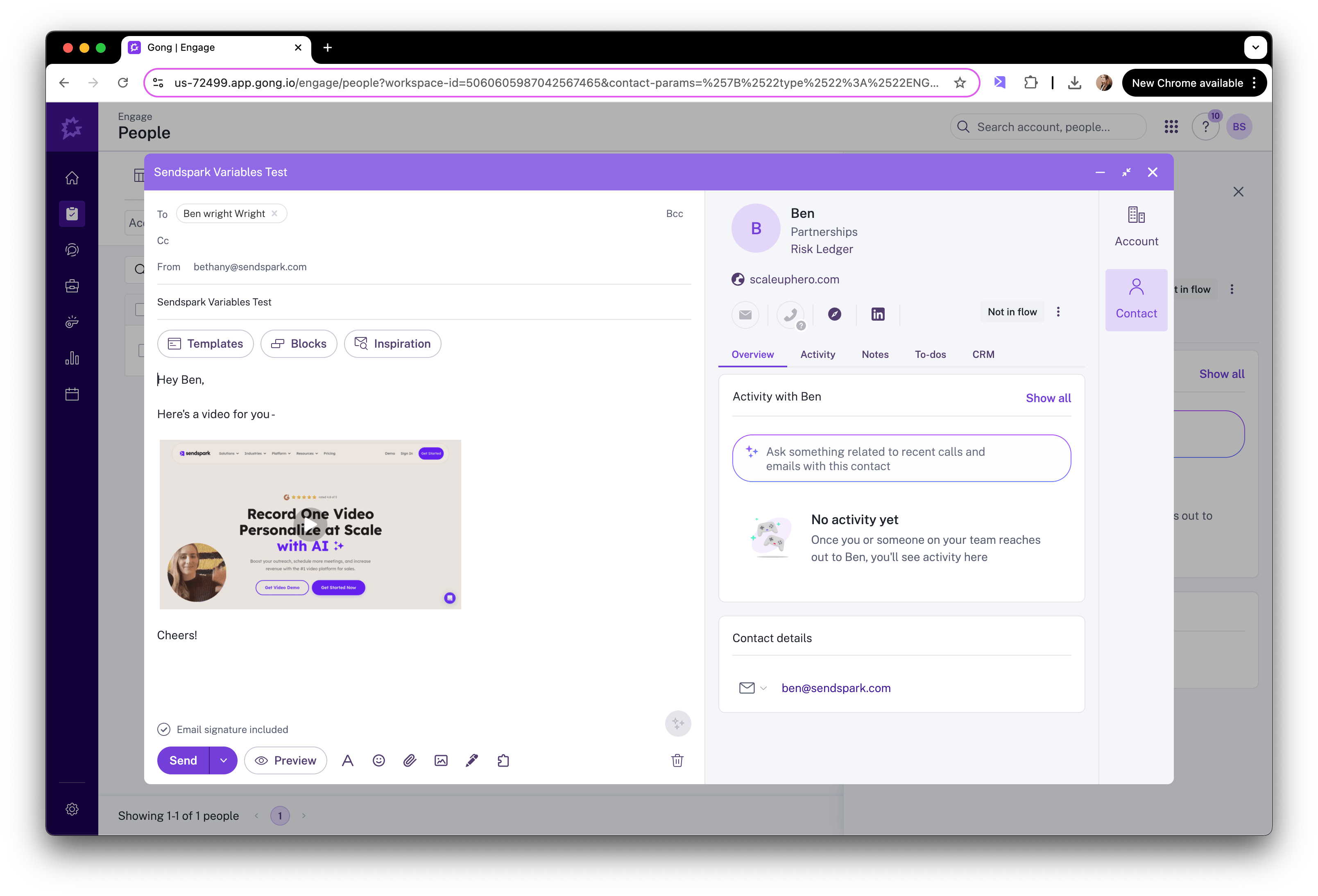
Now, when you add contacts to your Gong Engage flows, you'll see their videos in the email.
## Frequently asked questions
This approach works with Salesforce, HubSpot, Zoho, HighLevel, and Close CRM. You push Sendspark's email embed snippet into a field in one of these CRMs, and Gong reads it from there.
Yes. Because the Sendspark video snippet lives in a CRM field, your CRM must be synced with Gong so that field is available to use inside your Gong Engage emails.
Yes. Instead of triggering on all videos in your workspace, you can set the automation to trigger from a single dynamic video campaign and map it to a specific CRM field, so you can store more than one Sendspark snippet at a time.
Map Sendspark's "HTML Embed Email Snippet" to a CRM field (for example, a field named "Sendspark Embed Snippet"). Once saved, you insert that CRM field into your Gong Engage email to display the video.
*Updated July 2026.*
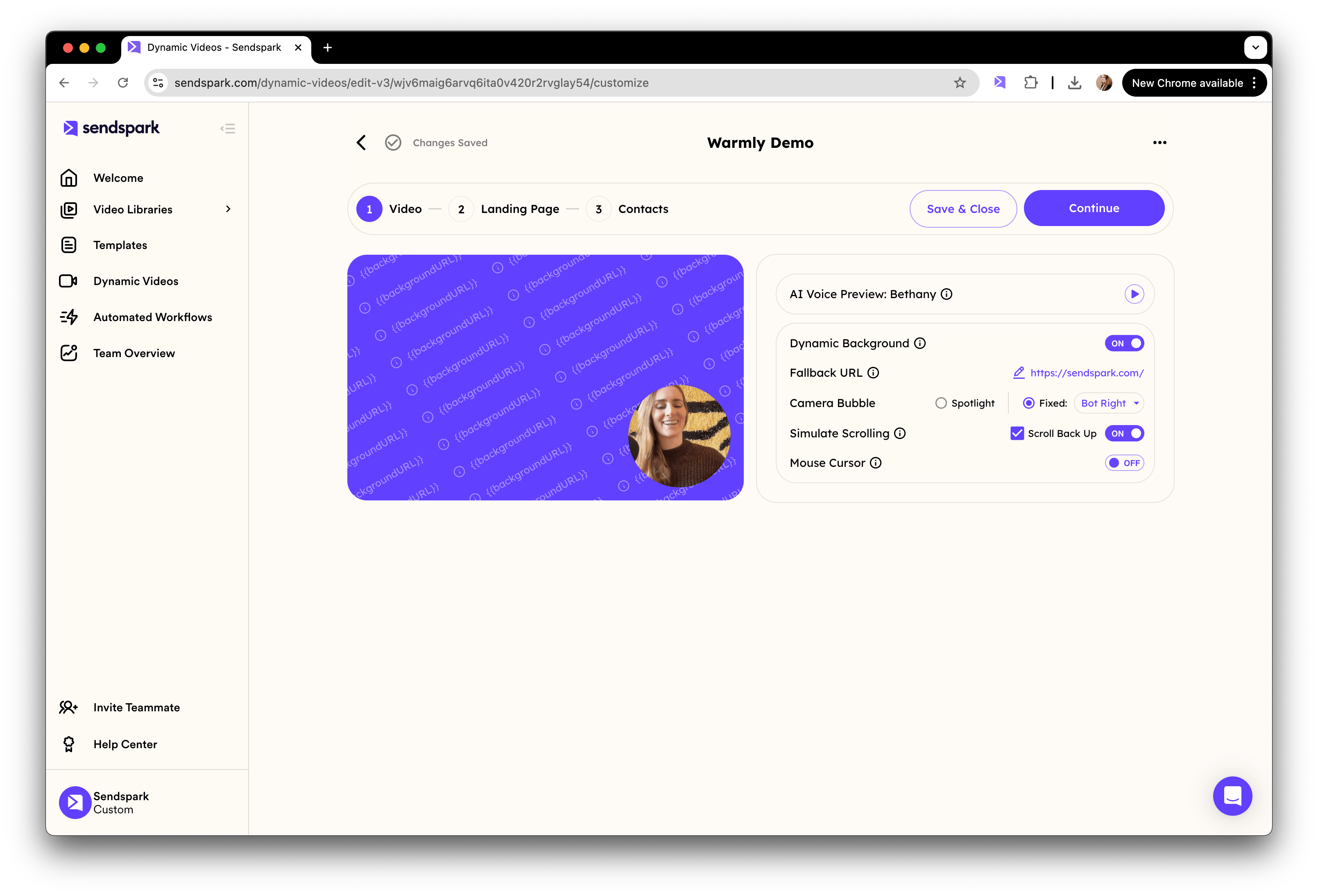 Then, create an automated workflow that pushes the Sendspark email embed snippet to your CRM after videos are created.
This works with Salesforce, HubSpot, Zoho, HighLevel, and Close CRM. Just make sure your CRM is synced with Gong, so you can use this field in Gong!
Then, create an automated workflow that pushes the Sendspark email embed snippet to your CRM after videos are created.
This works with Salesforce, HubSpot, Zoho, HighLevel, and Close CRM. Just make sure your CRM is synced with Gong, so you can use this field in Gong!
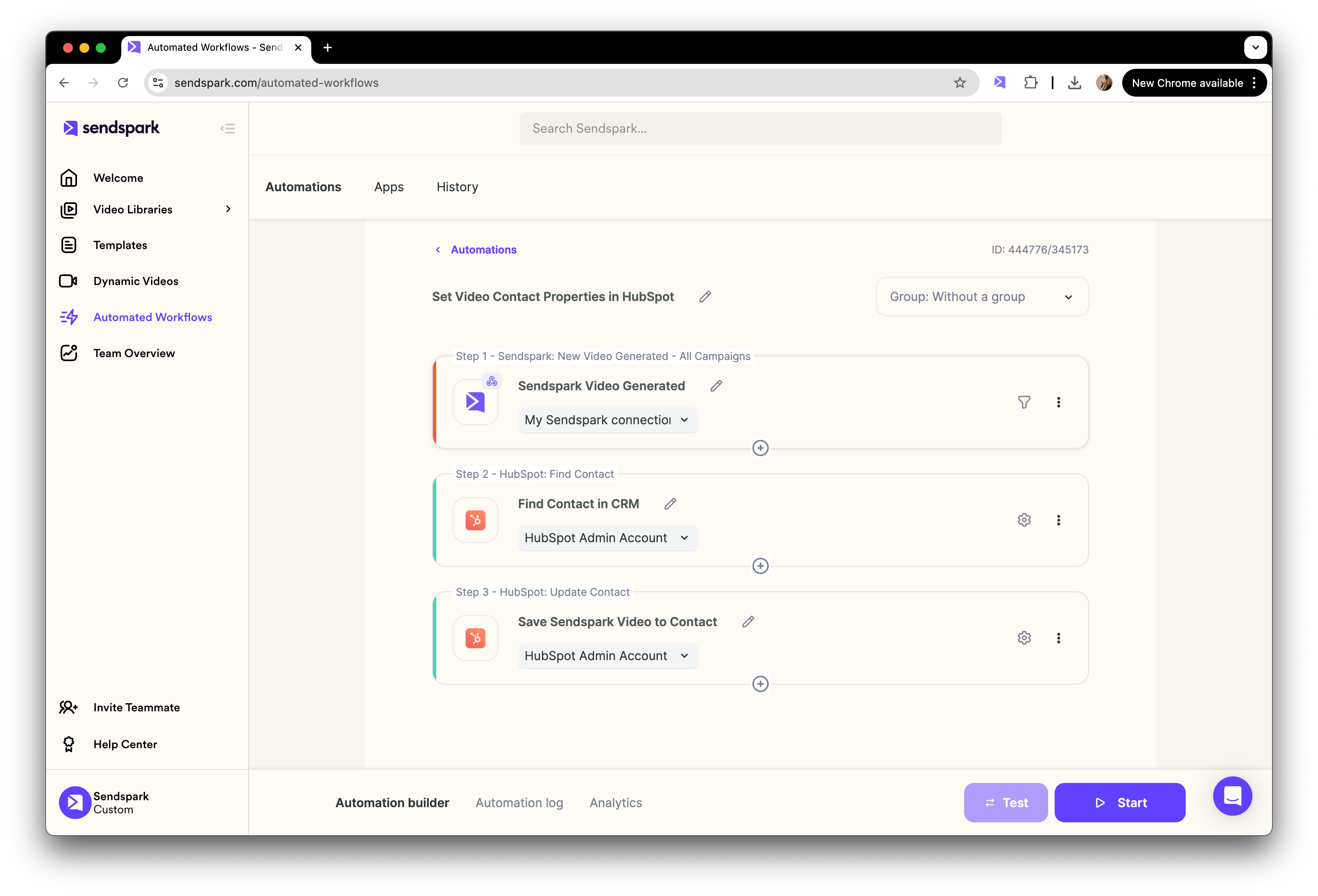 You can set this to trigger when all videos from your Sendspark workspace are generated.
 And then map the Sendspark "HTML Embed Email Snippet" to field in your CRM like "Sendspark Embed Embed Snippet"
 (You could also have this automated trigger just from one dynamic video campaign, and map it to a specific field, if you want to have more than one Sendspark dynamic video snippet in your CRM saved at one time).
Once the Sendspark email embed snippet is saved in your CRM, you will be able to use that CRM field in your Gong Engage emails to insert the video.
(You could also have this automated trigger just from one dynamic video campaign, and map it to a specific field, if you want to have more than one Sendspark dynamic video snippet in your CRM saved at one time).
Once the Sendspark email embed snippet is saved in your CRM, you will be able to use that CRM field in your Gong Engage emails to insert the video.
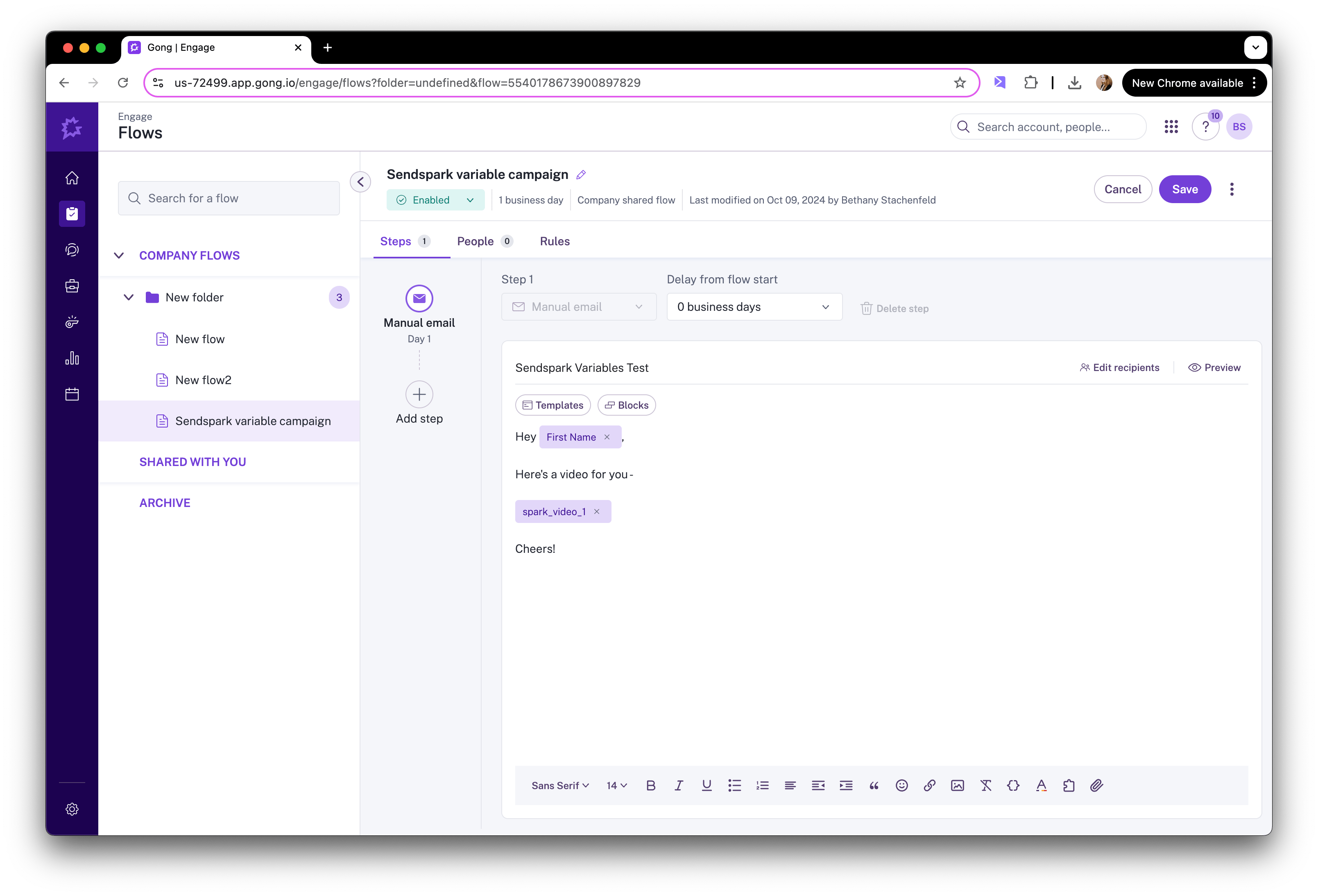 Now, when you add contacts to your Gong Engage flows, you'll see their videos in the email.
 ## Frequently asked questions