

Key takeaways
- You can embed videos in Intercom emails, and Sendspark automatically supplies a fallback preview so recipients on clients that don’t support in-email video can still click to watch on the web.
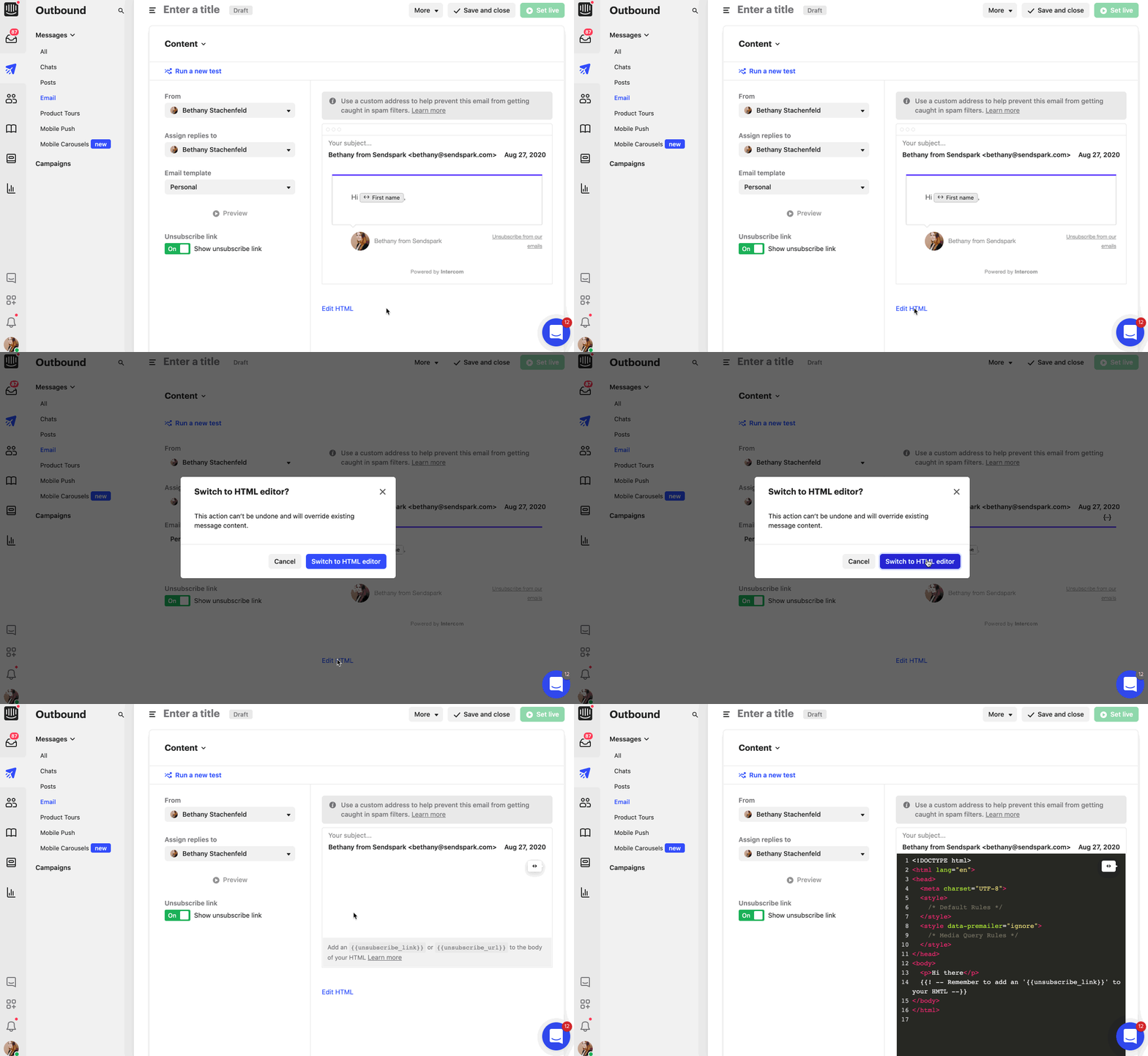
- Embedding uses Intercom’s Edit HTML mode: paste the Copy Email Embed Code snippet from Sendspark into the HTML of your email.
- Video works well for welcoming new users, announcing new features, and onboarding users with short how-to videos.
- Send a test to yourself first to confirm the video email looks right before sending.
🤔 Can you embed videos in Intercom emails?
Yes, you can embed videos in Intercom emails. However, embedding videos in email is NOT the same as embedding videos on the web. With email, you have to take into account that not every email client (looking at you, Gmail 👀) supports playing video online, so you have to supply fallback scenarios. (See which email clients support embedding videos in email) When you embed videos in emails with Sendspark, we automatically supply the fallback scenario, so when a video is not supported, your viewer will see a video preview, and be able to click to watch the video on the web. 💌 When should you embed videos in Intercom emails? Videos are great for humanizing the customer experience. There are a few touch points where videos can add a ton of value, both for increasing email engagement, and for building personal relationships with your customers.- Welcome new users
- Announce new features
- Onboard users with short “How to” videos
How to embed videos in Intercom emails:
- Make your video in Sendspark, by either recording a video, uploading a video, or requesting a video from someone else. Note, if you want to record your screen, you’ll have to use the Sendspark Chrome Extension.
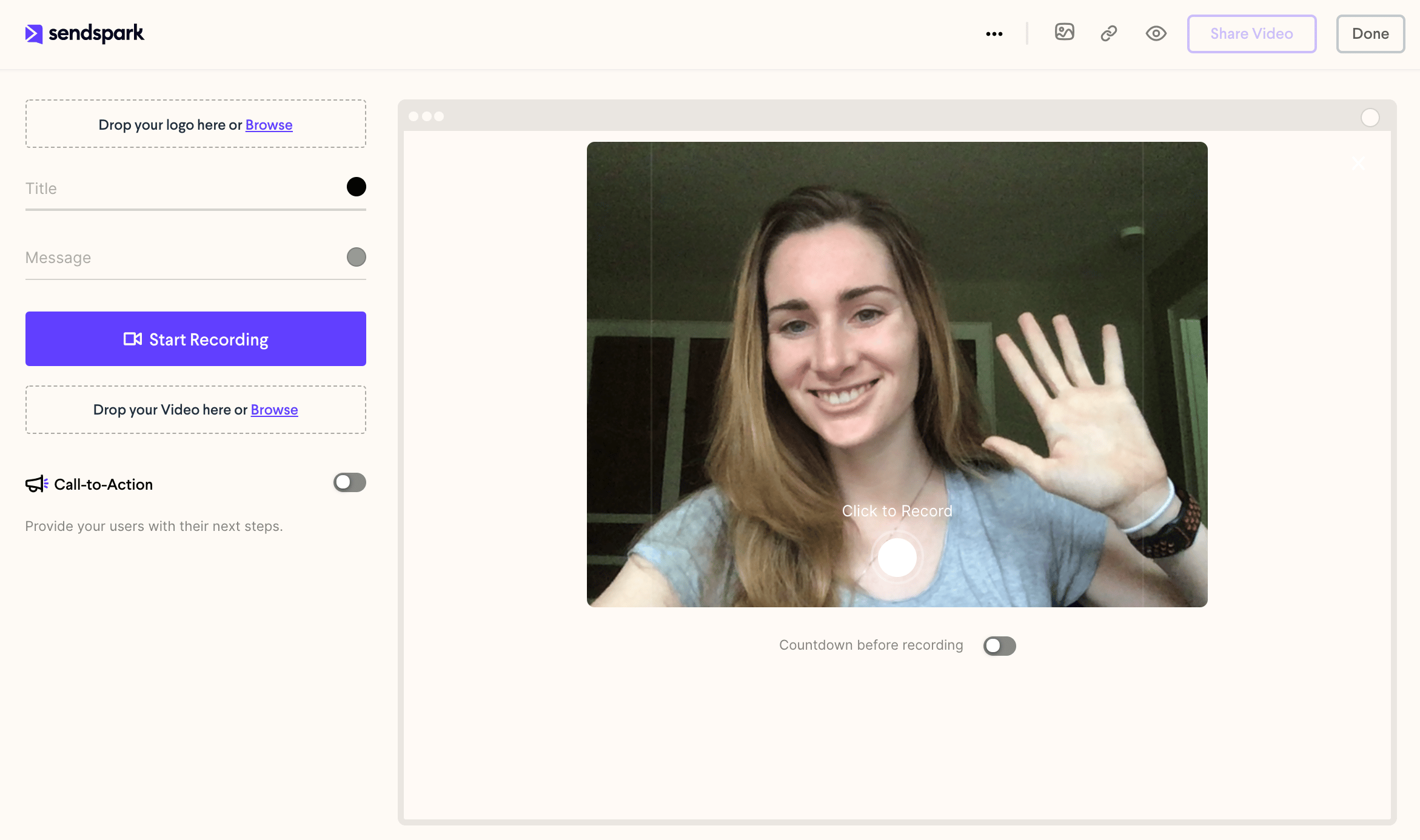
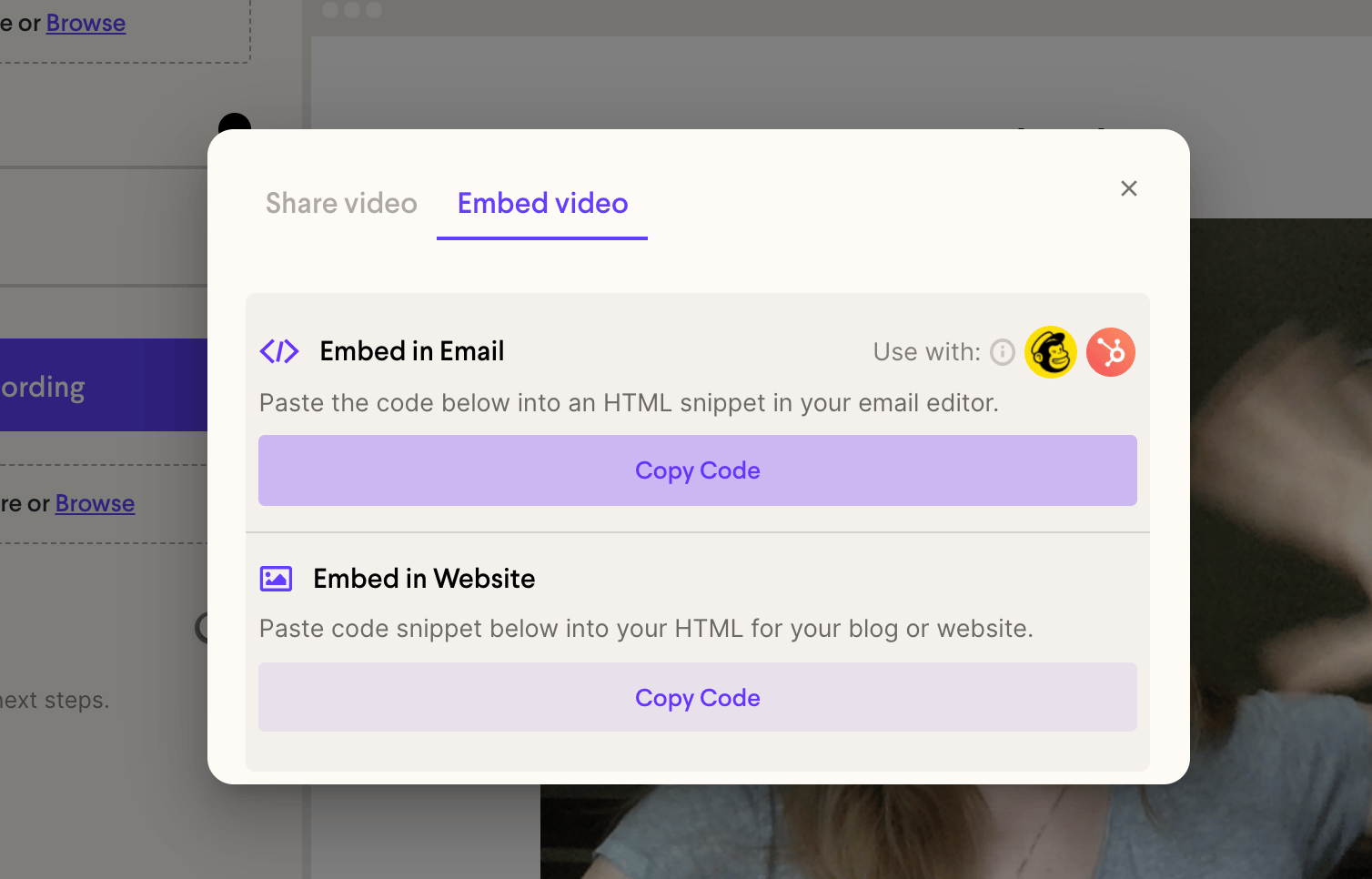
- Click Share Video, then on the Embed video tab click Copy Code under Embed in Email
- Go over to your Intercom Email Editor, and switch to “Edit HTML”
- Paste your video email embed code there
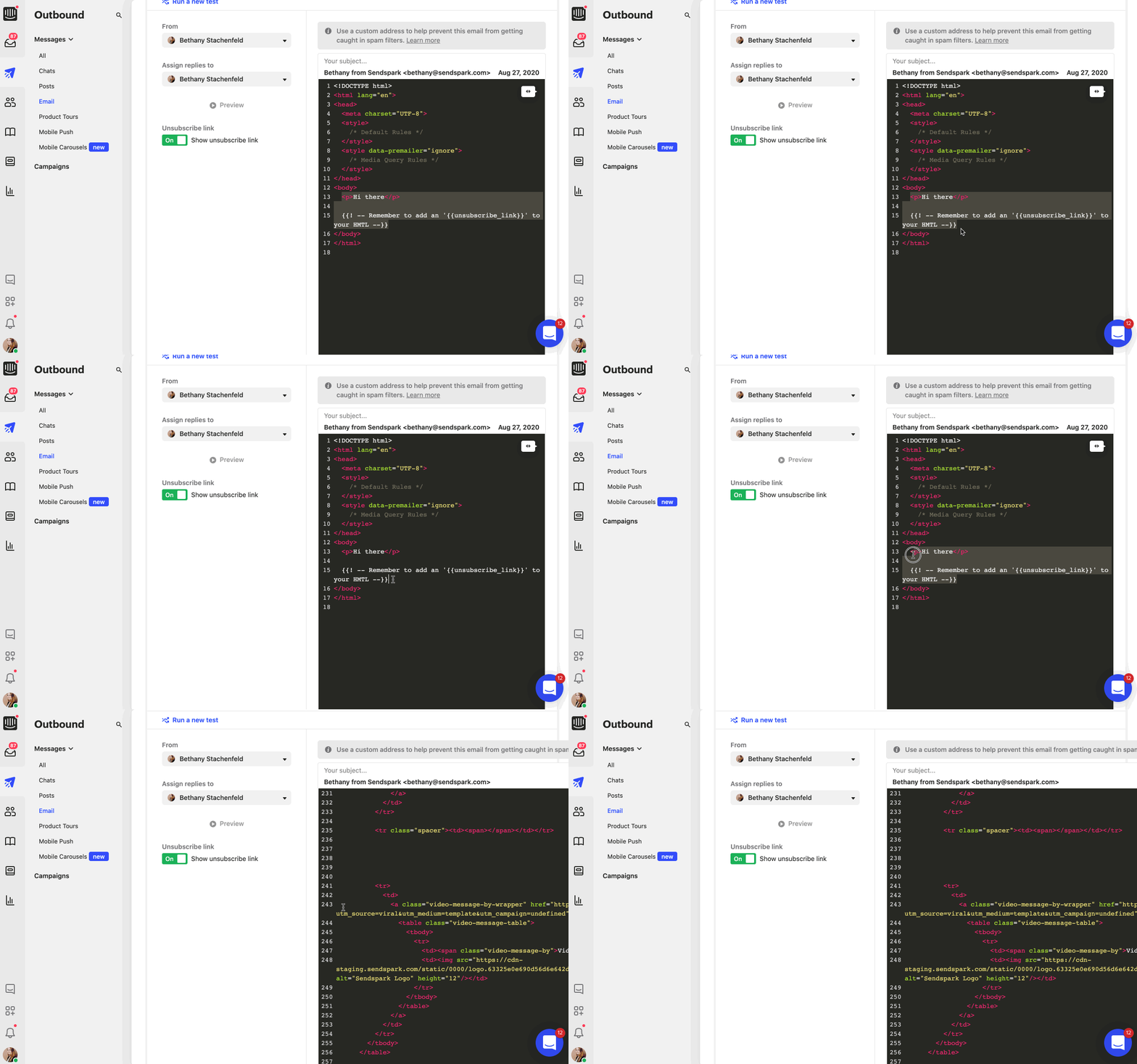
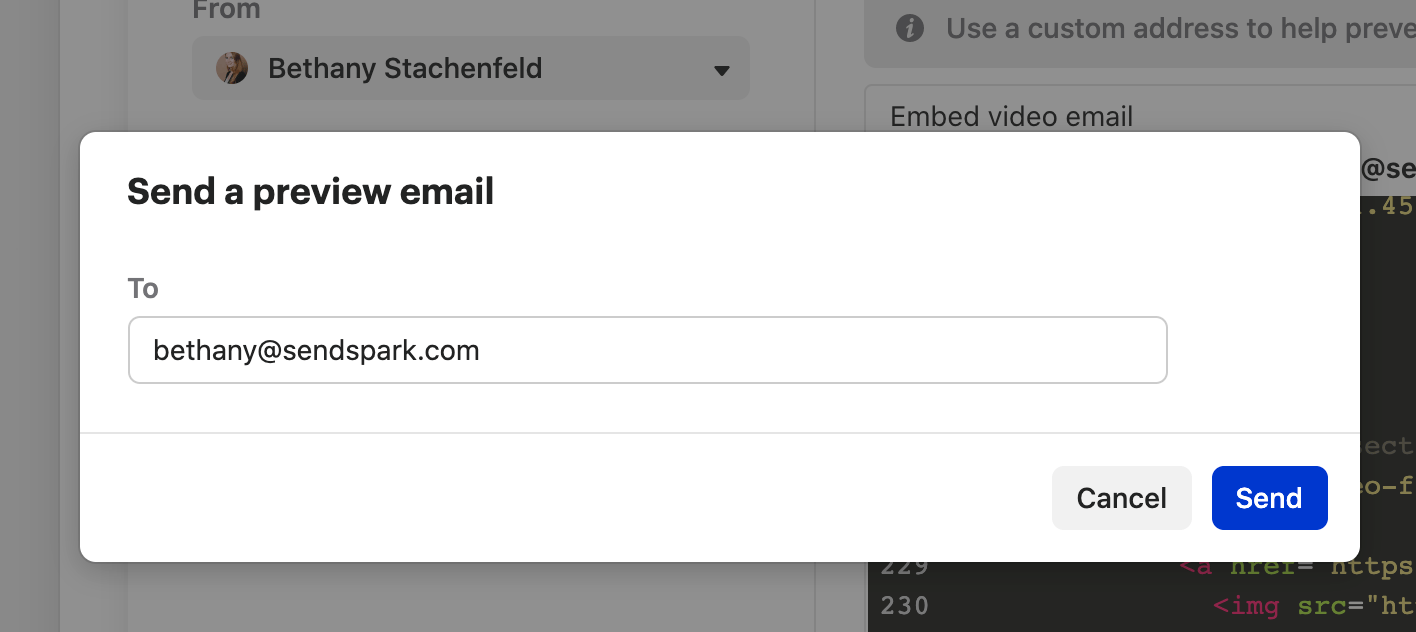
- Send a test to yourself to make sure you’re happy with your video email.
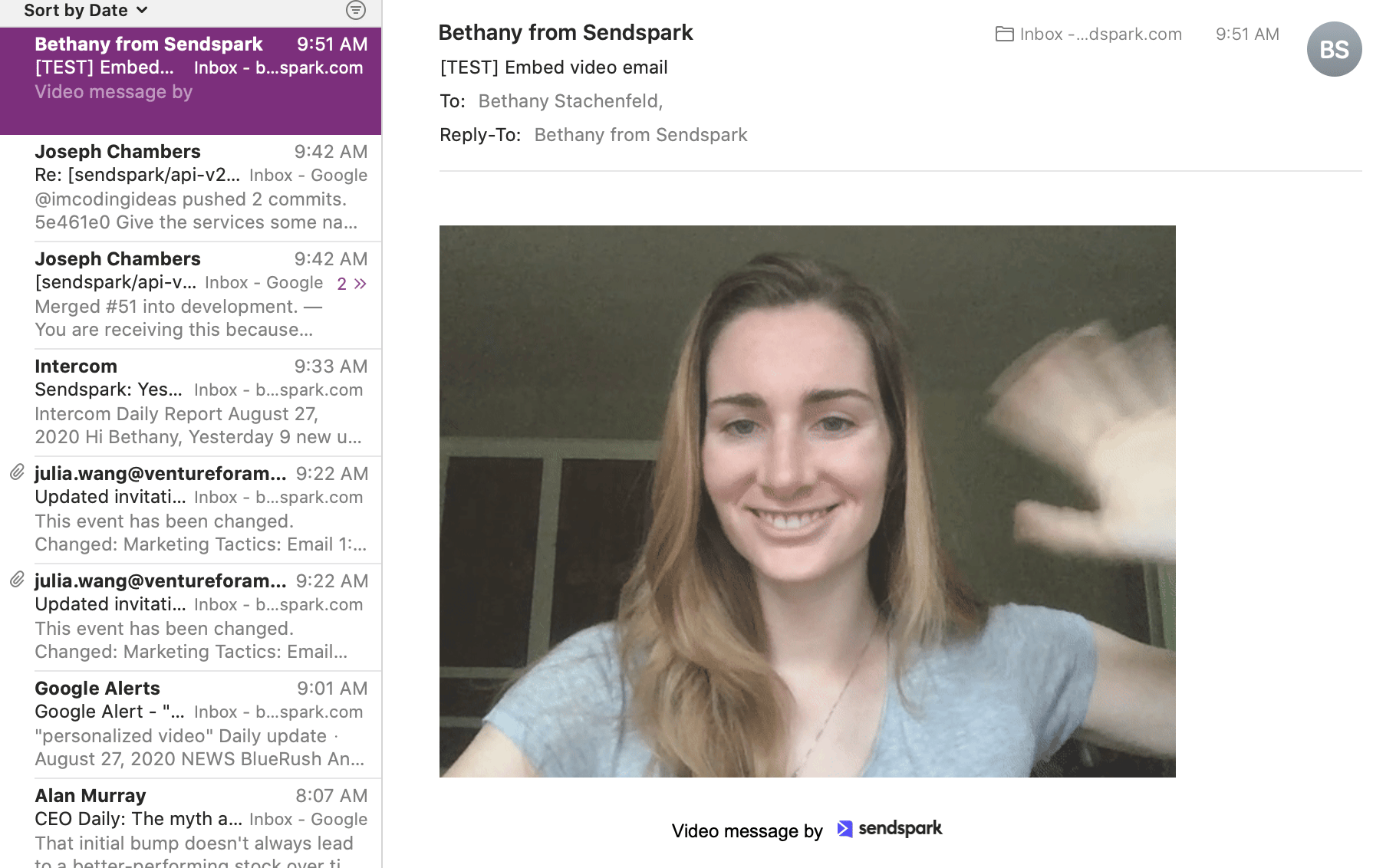
- It should look something like this!
Have any questions about embed videos in Intercom emails?
Chat with us, we are happy to help!Frequently asked questions
Can you embed videos in Intercom emails?
Can you embed videos in Intercom emails?
Yes. You can embed videos in Intercom emails, and Sendspark automatically supplies a fallback scenario so recipients whose email client doesn’t support in-email video see a preview and can click to watch on the web.
How do I embed a video in an Intercom email?
How do I embed a video in an Intercom email?
Make your video in Sendspark, click Share and then Copy Email Embed Code, go to your Intercom email editor and switch to Edit HTML, paste the embed code, and send a test to yourself to confirm it looks right.
What happens if a recipient's email client doesn't support video?
What happens if a recipient's email client doesn't support video?
Sendspark supplies the fallback automatically. When a video isn’t supported, the viewer sees a video preview and can click to watch the video on the web.
When should I use video in Intercom emails?
When should I use video in Intercom emails?
Videos are great for humanizing the customer experience. Good touch points include welcoming new users, announcing new features, and onboarding users with short how-to videos.