> ## Documentation Index
> Fetch the complete documentation index at: https://help.sendspark.com/llms.txt
> Use this file to discover all available pages before exploring further.
# Embed Salesloft Calendar with Videos
> Learn how to embed your Salesloft calendar with Sendspark videos to boost meeting bookings from video outreach campaigns.
To embed your Salesloft calendar next to a Sendspark video, toggle **Calendar** to **On** under your video, select **Salesloft** from the provider dropdown, and paste your Salesloft calendar link. Sendspark builds the embed automatically, so viewers can book a meeting the moment they finish watching, without ever leaving the page.
## Key takeaways
* Turn the **Calendar** toggle **On** under your Sendspark video, choose **Salesloft** as the provider, and paste your Salesloft calendar link.
* Paste the calendar **link**, not an embed code. Sendspark builds the embed for you.
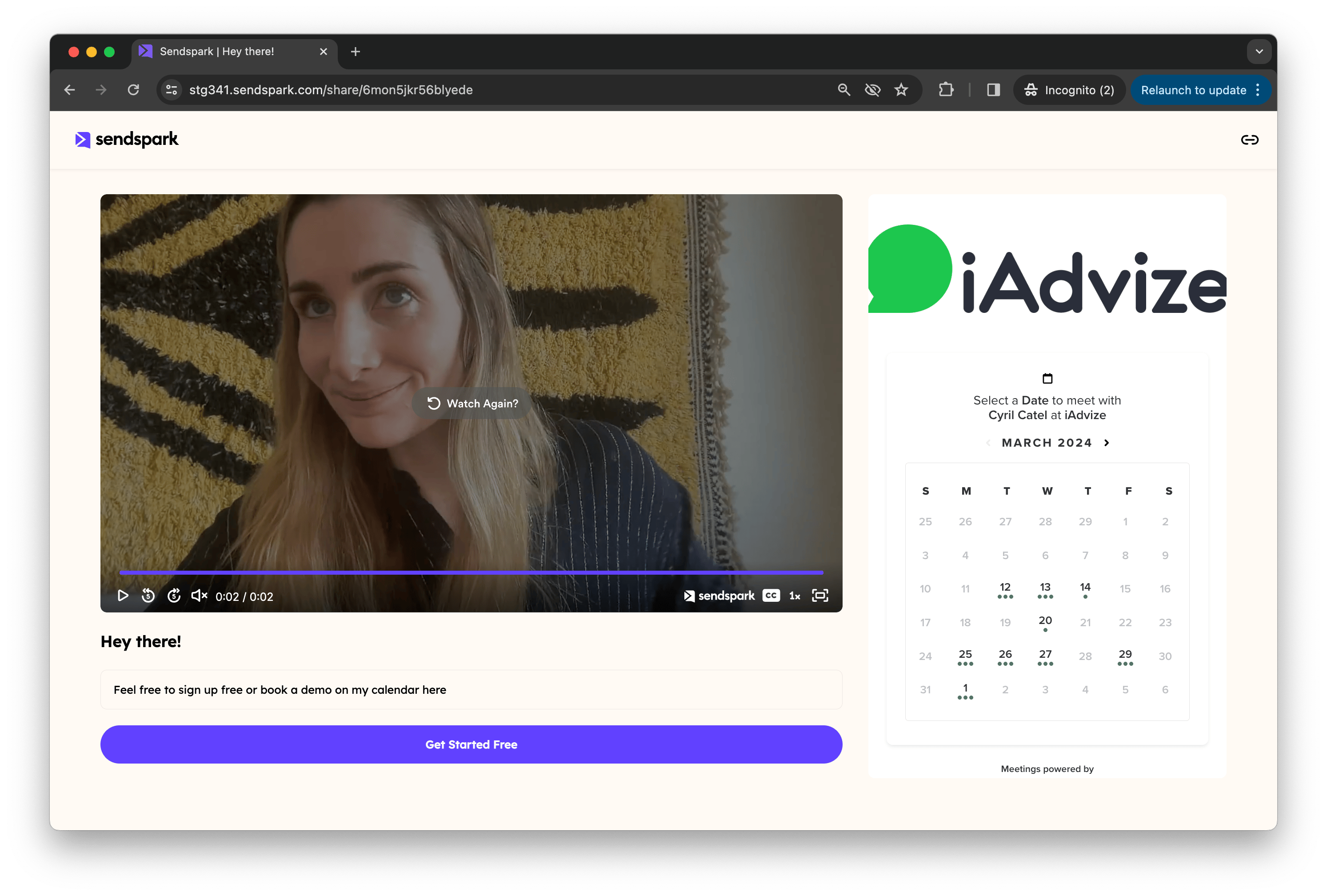
* The embedded calendar appears next to your video in the preview area, so viewers can book without leaving the page.
* Save your calendar in a [Template](/how-to-embed-calendars-with-videos) to add it to future videos automatically instead of pasting the link each time.
Want to book more meetings for you Salesloft video outreach? You can embed your calendar with your video, so viewers can book immediately after watching, without ever leaving the page.
## **How to Embed Salesloft Calendar Link Next To Videos**
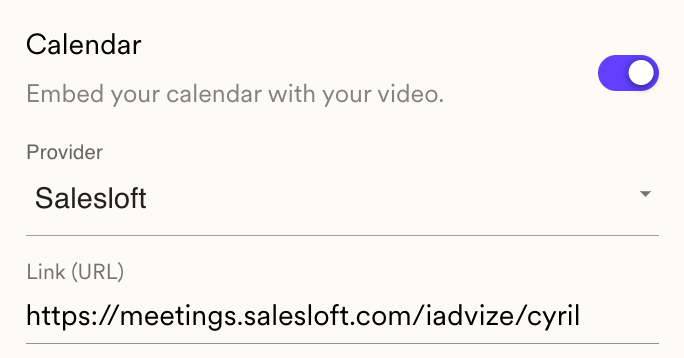
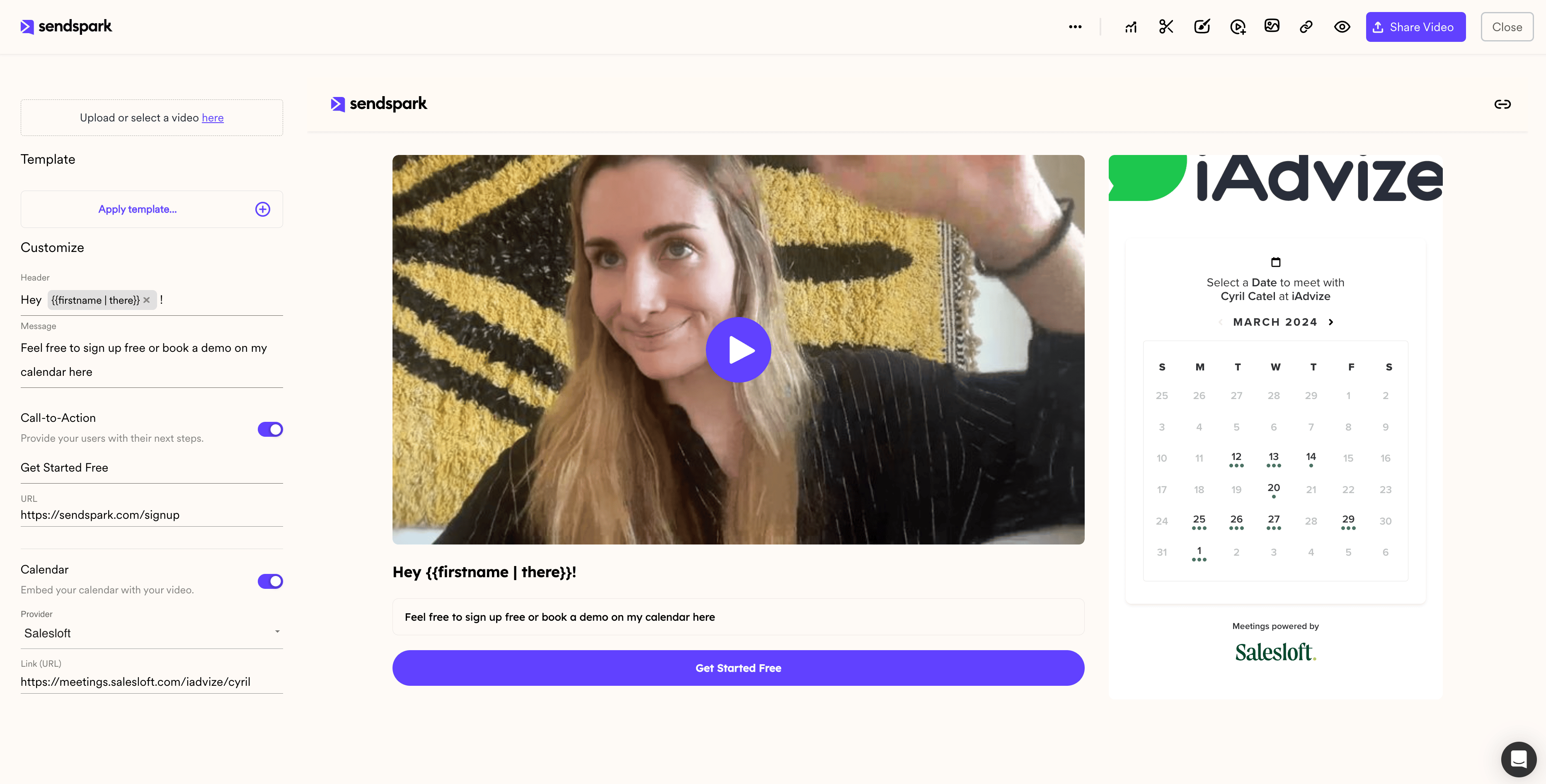
1. Under your Sendspark video, toggle **"Calendar"** to **"On"**
2. Select **"Salesloft"** from the Provider Dropdown List
3. **Add the link**to the Salesloft calendar you want to use
You should be able to see your embedded Salesloft calendar in the preview area!
## Frequently asked questions
Use the **link** to your Salesloft calendar, not an embed code. Sendspark automatically builds the embed using the information from the link.
Next to your video on the Sendspark video page. Viewers can book a meeting immediately after watching, without leaving the page. You'll see it in the preview area as soon as you add the link.
Yes. Save your calendar in a [Template](/how-to-embed-calendars-with-videos), then select that template after recording. This avoids copying your calendar link every time you create a video.
Sendspark also supports Calendly, Chili Piper, HubSpot, HighLevel, Mixmax, Motion, Outreach, Tidycal, and Youcanbookme. See [How to Embed Calendars with Videos](/how-to-embed-calendars-with-videos). If your platform isn't listed, you can request a direct integration or add your booking link to a call-to-action button in the meantime.
*Updated July 2026.*
 ## **How to Embed Salesloft Calendar Link Next To Videos**
1. Under your Sendspark video, toggle **"Calendar"** to **"On"**
2. Select **"Salesloft"** from the Provider Dropdown List
3. **Add the link**to the Salesloft calendar you want to use
## **How to Embed Salesloft Calendar Link Next To Videos**
1. Under your Sendspark video, toggle **"Calendar"** to **"On"**
2. Select **"Salesloft"** from the Provider Dropdown List
3. **Add the link**to the Salesloft calendar you want to use
 You should be able to see your embedded Salesloft calendar in the preview area!
 ## Frequently asked questions