> ## Documentation Index
> Fetch the complete documentation index at: https://help.sendspark.com/llms.txt
> Use this file to discover all available pages before exploring further.
# Embed Outreach Calendar with Videos
> Learn how to embed Outreach calendar links directly on video pages to streamline prospect meeting bookings in your sequences.
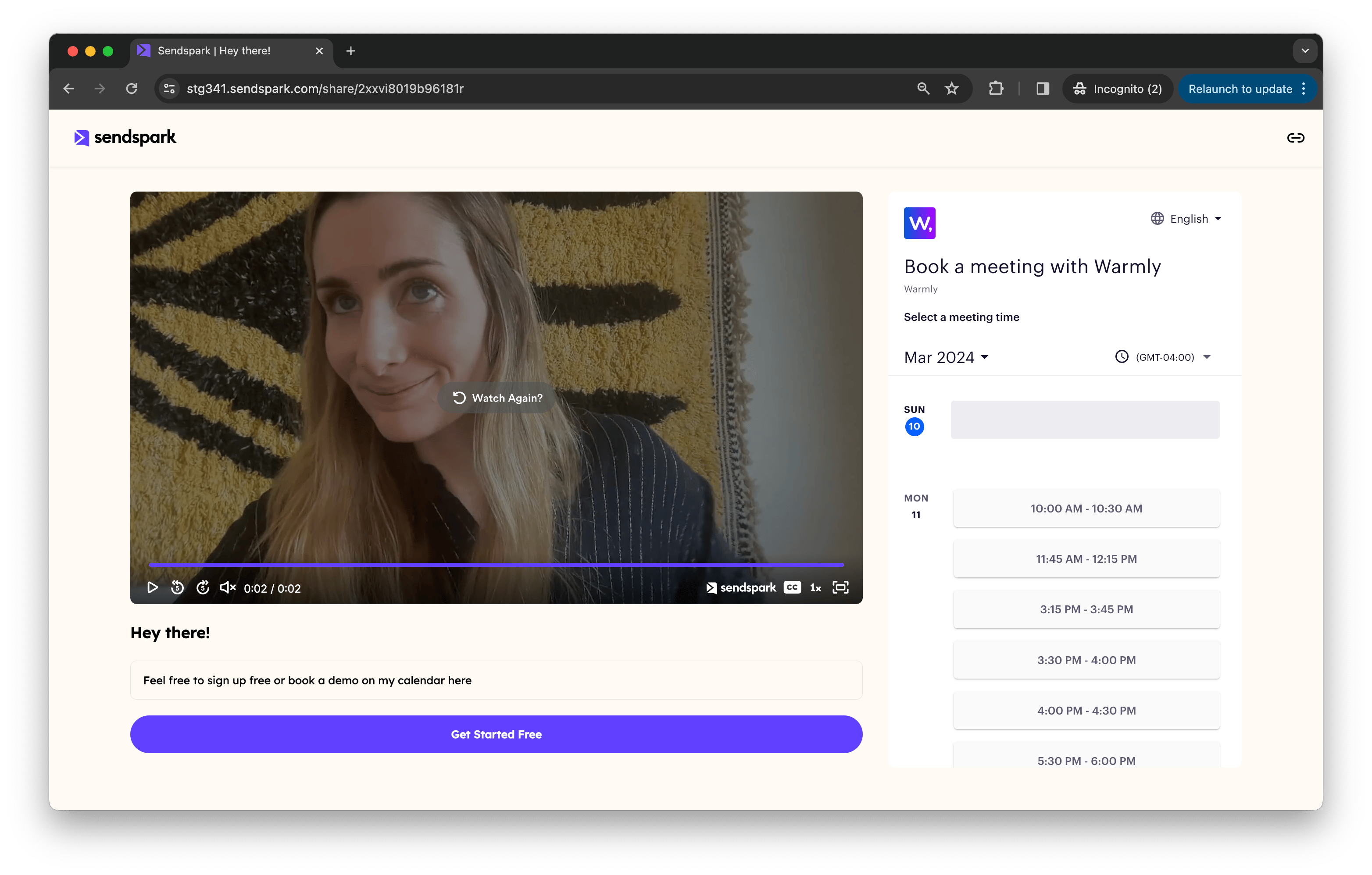
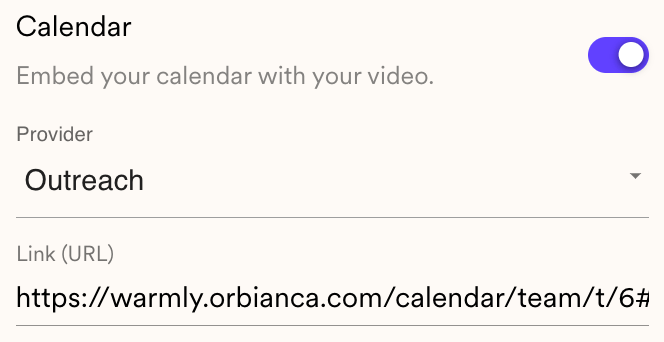
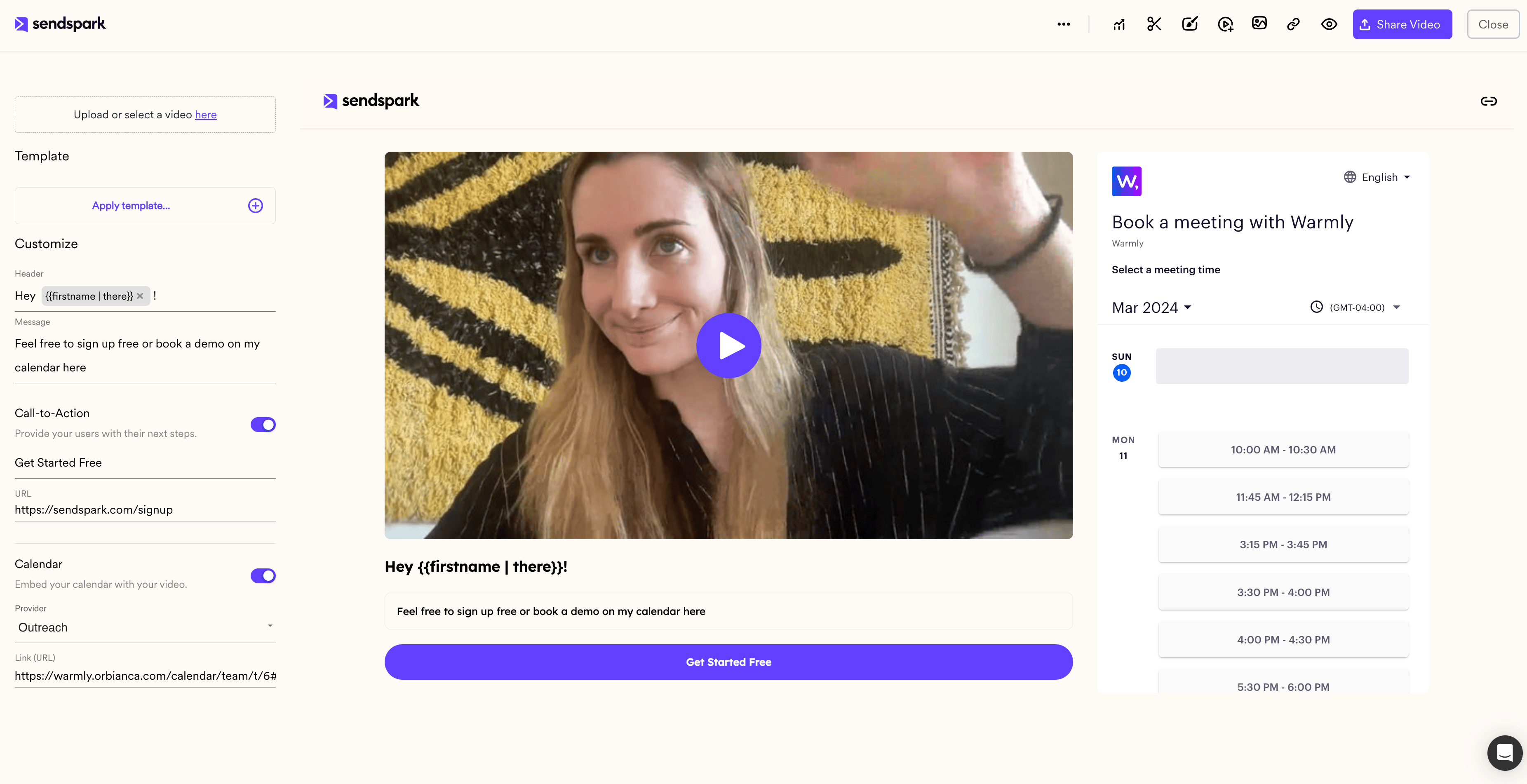
To embed an Outreach calendar next to your Sendspark video, toggle **Calendar** to **On** under the video, select **Outreach** from the provider dropdown, and paste the link to your Outreach calendar. Your embedded calendar then appears in the preview area, so prospects can book a meeting without leaving the video page.
## Key takeaways
* Turn on the **Calendar** toggle under your Sendspark video and pick **Outreach** as the provider.
* Add the **link** to your Outreach calendar (use the calendar link, not the embed code, Sendspark embeds it for you).
* The embedded calendar shows in the preview area and lets prospects book meetings directly on the video page.
* Embedded calendars work everywhere you customize video pages: video messages, dynamic video campaigns, and templates. See [How to Embed Calendars with Videos](/how-to-embed-calendars-with-videos) for the full list of supported platforms.
Sending videos in your Outreach prospecting sequences? See how to embed your calendar right on the video page, so prospects can easily book meetings!
## How to Embed Outreach Calendar Link Next To Videos
1. Under your Sendspark video, toggle **"Calendar"** to **"On"**
2. Select **"Outreach"** from the Provider Dropdown List
3. **Add the link**to the Outreach calendar you want to use
You should be able to see your embedded Outreach calendar in the preview area!
## Frequently asked questions
Paste the calendar link, not the embed code. Sendspark automatically embeds your calendar using the information from the link.
Right on the video page, next to the video. Prospects can watch your video and book a meeting on your Outreach calendar without ever leaving the page.
Yes. Embedded calendars are supported everywhere you can customize video pages in Sendspark, including individual video messages, dynamic video campaigns, and templates. The process is the same in each place.
Yes. Save the embedded calendar in a Template, then apply that template to new videos, so you don't have to paste your calendar link for every recording. See [How to Embed Calendars with Videos](/how-to-embed-calendars-with-videos) for details.
*Updated July 2026.*
 ## How to Embed Outreach Calendar Link Next To Videos
1. Under your Sendspark video, toggle **"Calendar"** to **"On"**
2. Select **"Outreach"** from the Provider Dropdown List
3. **Add the link**to the Outreach calendar you want to use
## How to Embed Outreach Calendar Link Next To Videos
1. Under your Sendspark video, toggle **"Calendar"** to **"On"**
2. Select **"Outreach"** from the Provider Dropdown List
3. **Add the link**to the Outreach calendar you want to use
 You should be able to see your embedded Outreach calendar in the preview area!
 ## Frequently asked questions