> ## Documentation Index
> Fetch the complete documentation index at: https://help.sendspark.com/llms.txt
> Use this file to discover all available pages before exploring further.
# Embed Mixmax Calendar with Videos
> Learn how to embed your Mixmax calendar alongside Sendspark videos so prospects can instantly book meetings after watching.
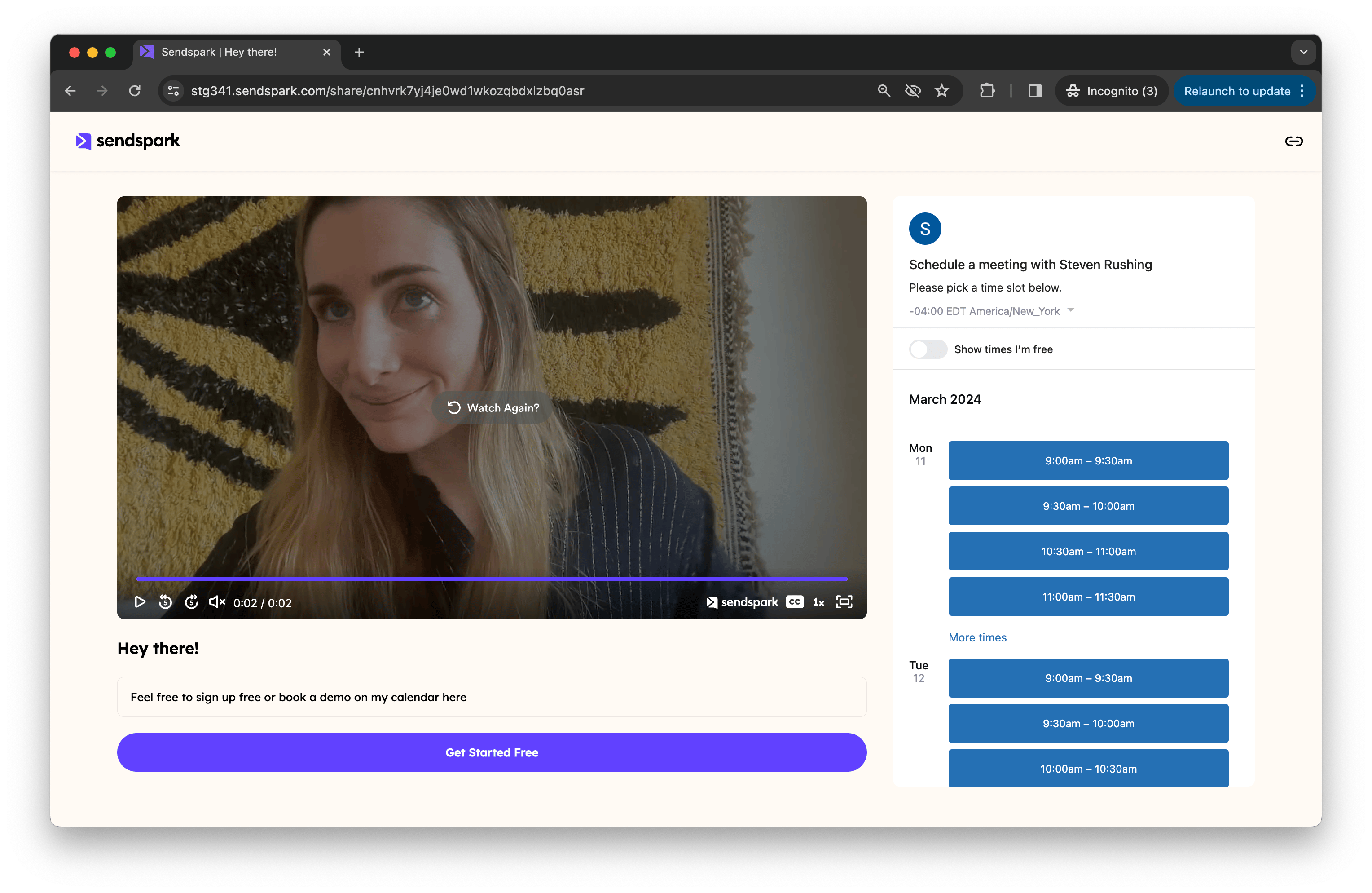
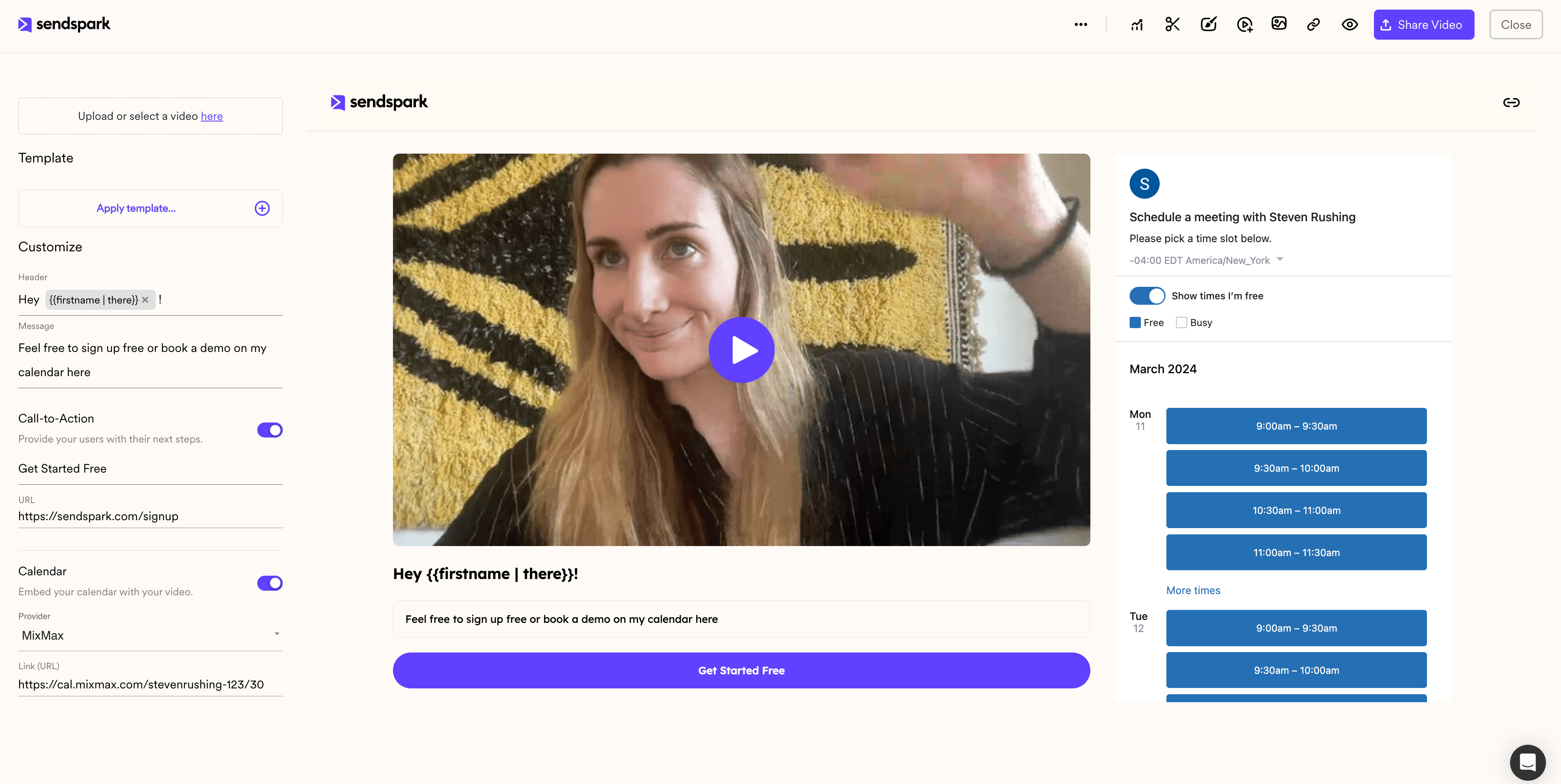
To embed your Mixmax calendar with a Sendspark video, open your video, scroll down to the **Calendar** section, toggle it **On**, select **Mixmax** from the provider dropdown, and paste the link to your Mixmax calendar. As soon as you paste the link, the calendar appears in the preview on the right, so viewers can book a meeting right after watching.
## Key takeaways
* Adding a Mixmax calendar takes three steps: toggle **Calendar** on, choose **Mixmax**, and paste your calendar link.
* Paste the **link** to your Mixmax calendar, not embed code. Sendspark builds the embed from the link for you.
* The calendar appears live in the preview area on the right the moment you add the link.
* Viewers can book a meeting from your calendar without leaving the video page.
Embed your [Mixmax](https://www.mixmax.com?utm_source=sendspark\&utm_medium=partner\&utm_campaign=sendspark_referral_2024) calendar next to your Sendspark videos to help prospects book meetings right after watching.
## How to Embed Mixmax Calendar Link Next To Videos
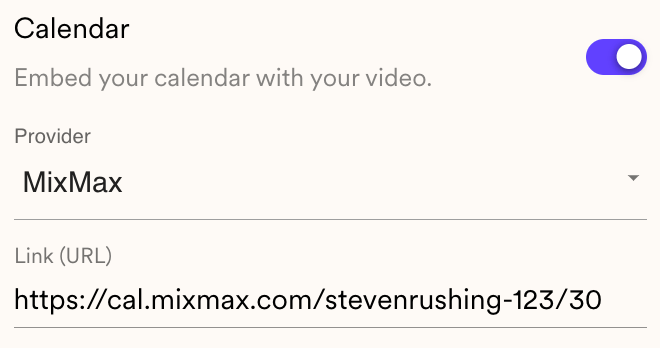
1. Open your Sendspark video and scroll down to the **Calendar** section.
2. Toggle **"Calendar"** to **"On"**.
3. Select **"Mixmax"** from the provider dropdown list.
4. **Add the link** to the Mixmax calendar you want to use.
As soon as you paste the link, your embedded Mixmax calendar appears in the preview area on the right, where your viewers can book a meeting directly.
## Frequently asked questions
Paste the link to your Mixmax calendar. Sendspark automatically builds the embed from that link, so there's no need to copy any embed code.
In the preview area on the right of your video page. It appears as soon as you paste the calendar link, so you can confirm it looks right before sharing.
Yes. The calendar sits next to your video, so right after watching, viewers can book a meeting on your Mixmax calendar without navigating away.
Sendspark supports several calendar providers. See [How to Embed Calendars with Videos](/how-to-embed-calendars-with-videos) for the full list and setup steps.
*Updated July 2026.*
 ## How to Embed Mixmax Calendar Link Next To Videos
1. Open your Sendspark video and scroll down to the **Calendar** section.
2. Toggle **"Calendar"** to **"On"**.
3. Select **"Mixmax"** from the provider dropdown list.
4. **Add the link** to the Mixmax calendar you want to use.
## How to Embed Mixmax Calendar Link Next To Videos
1. Open your Sendspark video and scroll down to the **Calendar** section.
2. Toggle **"Calendar"** to **"On"**.
3. Select **"Mixmax"** from the provider dropdown list.
4. **Add the link** to the Mixmax calendar you want to use.
 As soon as you paste the link, your embedded Mixmax calendar appears in the preview area on the right, where your viewers can book a meeting directly.
 ## Frequently asked questions