> ## Documentation Index
> Fetch the complete documentation index at: https://help.sendspark.com/llms.txt
> Use this file to discover all available pages before exploring further.
# Customer.io — Send Video Emails
> Learn how to send personalized video emails through Customer.io with Sendspark. Boost engagement with video in your automated email campaigns.
To send video emails in Customer.io, create a new email and drag in an HTML content block. Then record or upload your video in Sendspark, click Share, copy the email embed code, and paste it into your Customer.io HTML block. The video plays in-email wherever it's supported, with a clickable fallback image where it isn't.
## Key takeaways
* Sendspark embeds your video so it plays directly in-email wherever the recipient's email client supports it.
* Where video isn't supported, Sendspark supplies a fallback preview image that links to an external landing page.
* The steps: create a Customer.io email, drag in an HTML content block, make your video in Sendspark, copy the email embed code, and paste it into the HTML block.
* Always send a test email to yourself to check how the video appears across different email providers.
Videos are a great way to make your emails more engaging and effective. Especially if you're using Customer.io to onboard new users, videos will help your customers see exactly what steps they should be taking - right from their inbox!
In this article, we will show you how to **embed videos in your Customer.io email.** This means that the video will play directly in-email wherever it is supported.
In cases where video is not supported in email, Sendspark supplies a fallback image, so your recipient will see a preview image of the video, and be able to click to play the video on an external landing page. ([See which email clients support video](https://blog.sendspark.com/which-email-clients-support-embedded-videos)).
But first, let's take a look at why embedding a video into an email is helpful:
## What are the benefits of embedding a video into my customer.io emails?
* **Super Charges Engagement:** Videos are perfect for grabbing the attention of your customer. Including a thumbnail for your embedded email increases customer engagement by over 42%! In comparison, adding the word "video" in the subject line boosts engagement by only 6-10%. Still good, but nothing compared to embedding a video. Depending on the industry, around 75% of people make a purchase after watching a video! So you can use Sendspark and Customer.io to sell your product and onboard your users with great results! 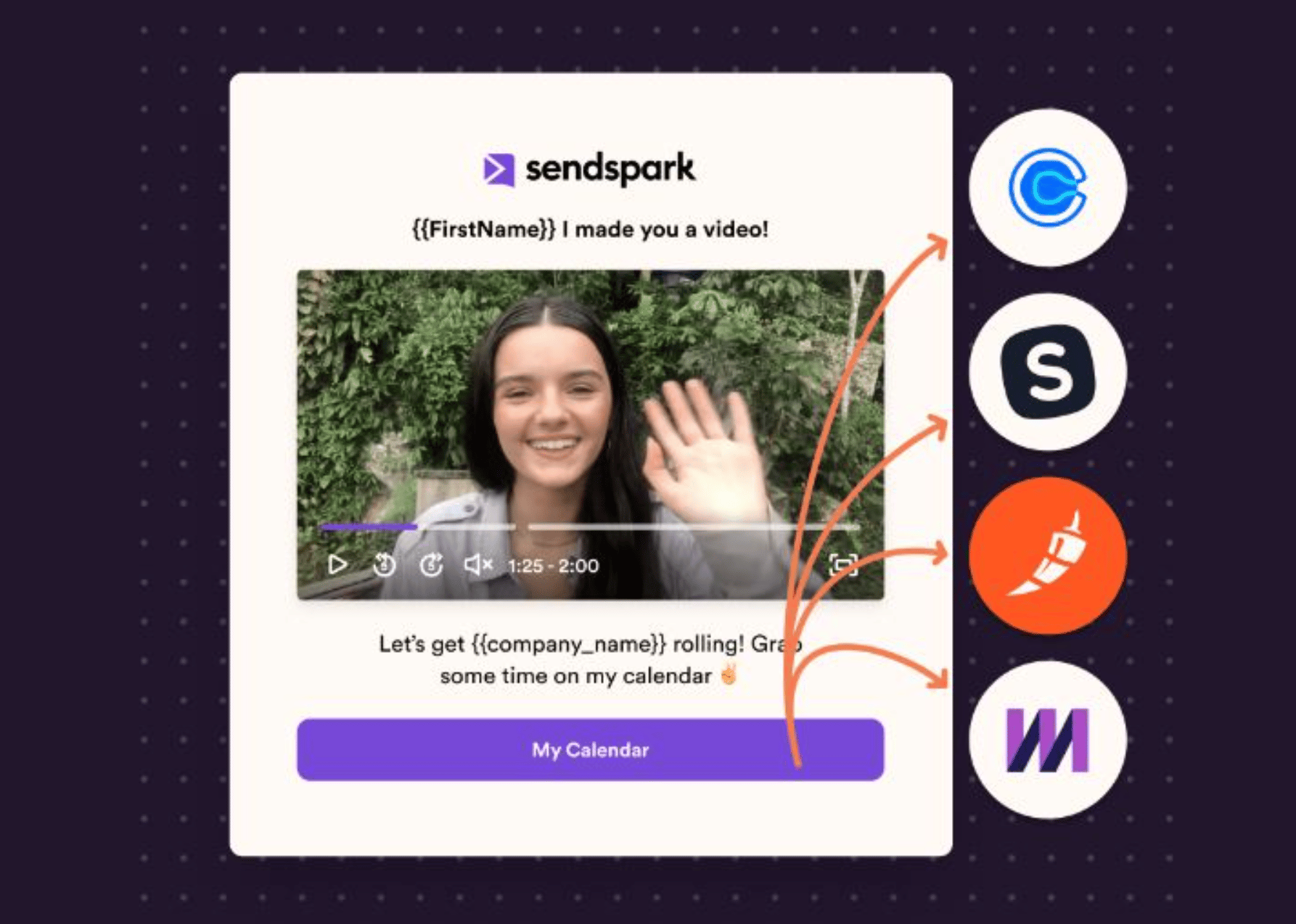 * Vi**deos are easy to understand.** Over 90% of consumers prefer to learn about a product or service through a video. Many studies have shown that our brain is able to process visual info much easier than text. When you embed a video into your email, you are making it easier for your customer to process your pitch. You also are better able to show the benefits of your product or service through video as a medium. So why not lead with it in your emails. Learning how to embed videos in your Customer.io emails will help you better reach your clients!
* **Embedding videos saves time!** It saves time for both you and your customer. Anything that helps you be more efficient and extend that benefit to your clients is worth it. Sendspark makes it super easy to embed videos in your Customer.io emails. You can record or upload your video through the Sendspark Chrome extension. Next click the "Share" button, and there you go! You get either a video link, animated GIF, or thumbnail representing your video. It takes just seconds to get rolling! Sendspark also helps you out by taking care of any conversion issues embedding a video in your email may present.
* Vi**deos are easy to understand.** Over 90% of consumers prefer to learn about a product or service through a video. Many studies have shown that our brain is able to process visual info much easier than text. When you embed a video into your email, you are making it easier for your customer to process your pitch. You also are better able to show the benefits of your product or service through video as a medium. So why not lead with it in your emails. Learning how to embed videos in your Customer.io emails will help you better reach your clients!
* **Embedding videos saves time!** It saves time for both you and your customer. Anything that helps you be more efficient and extend that benefit to your clients is worth it. Sendspark makes it super easy to embed videos in your Customer.io emails. You can record or upload your video through the Sendspark Chrome extension. Next click the "Share" button, and there you go! You get either a video link, animated GIF, or thumbnail representing your video. It takes just seconds to get rolling! Sendspark also helps you out by taking care of any conversion issues embedding a video in your email may present. 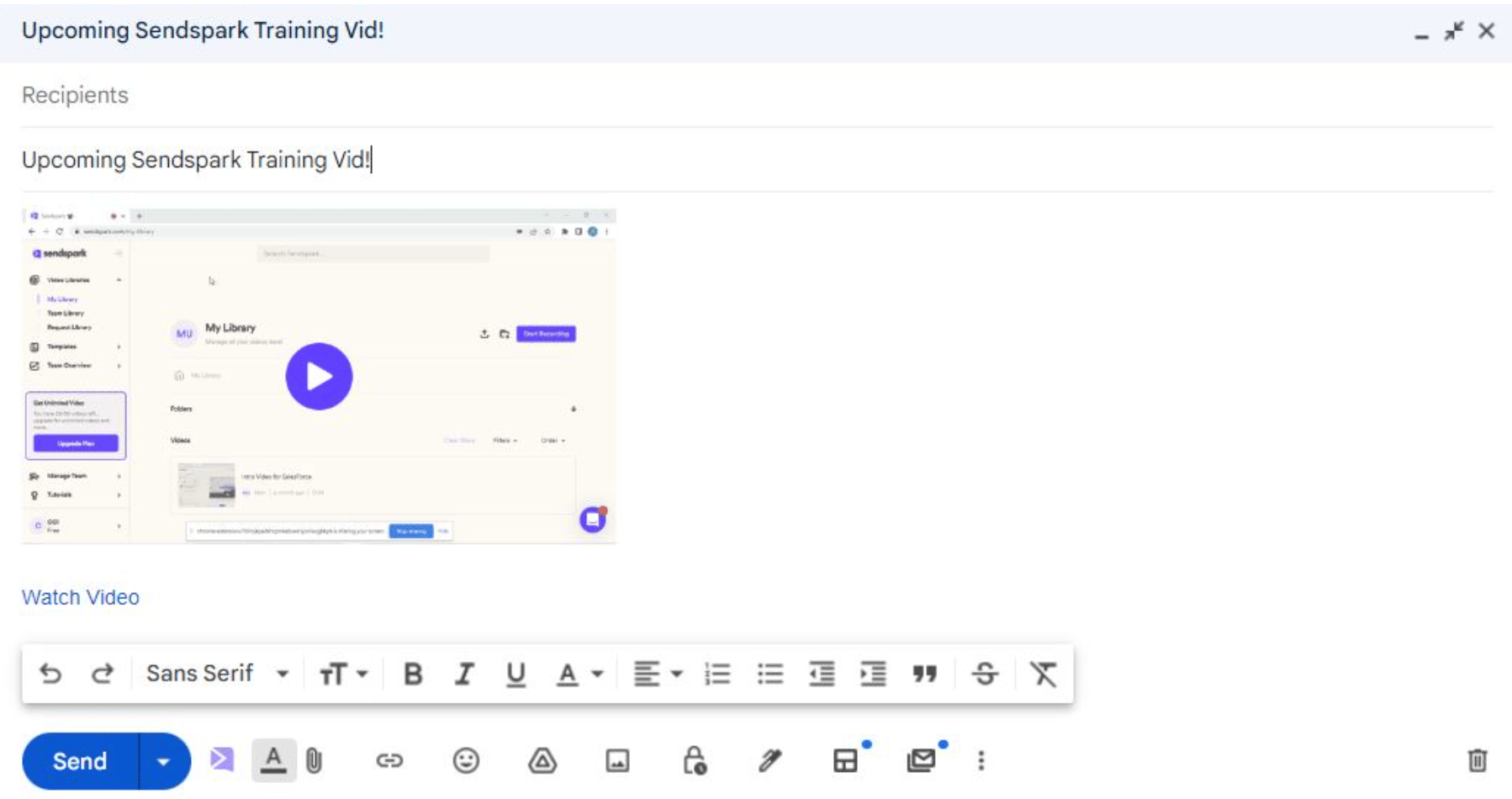 ## Let's take a look at how to embed videos in Customer.io emails:
## 1. Create a new email in Customer.io
[Log in](https://fly.customer.io/login) to Customer.io and create a new email. You can use any of their email options: drag-and-drop, rich text, code, or a pre-built template. All emails will work!
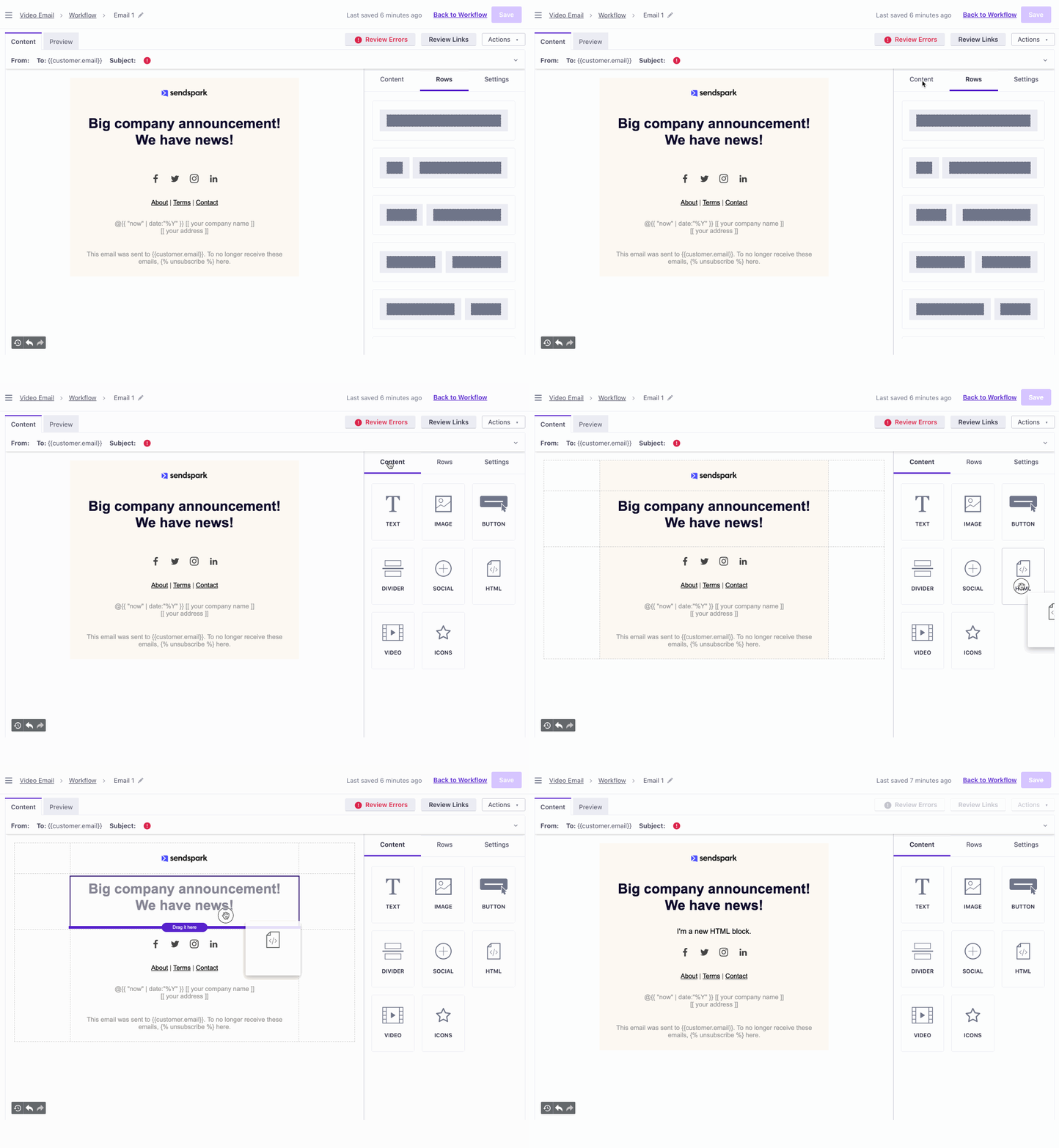
## 2. Drag in an HTML content block
## Let's take a look at how to embed videos in Customer.io emails:
## 1. Create a new email in Customer.io
[Log in](https://fly.customer.io/login) to Customer.io and create a new email. You can use any of their email options: drag-and-drop, rich text, code, or a pre-built template. All emails will work!
## 2. Drag in an HTML content block
 ## 3. Make your video in Sendspark
Record, request, or upload your video in Sendspark. If you don't have an account yet, [sign up here](https://app.sendspark.com/signup).
## 4. Click "share," and then copy the email embed code
## 3. Make your video in Sendspark
Record, request, or upload your video in Sendspark. If you don't have an account yet, [sign up here](https://app.sendspark.com/signup).
## 4. Click "share," and then copy the email embed code
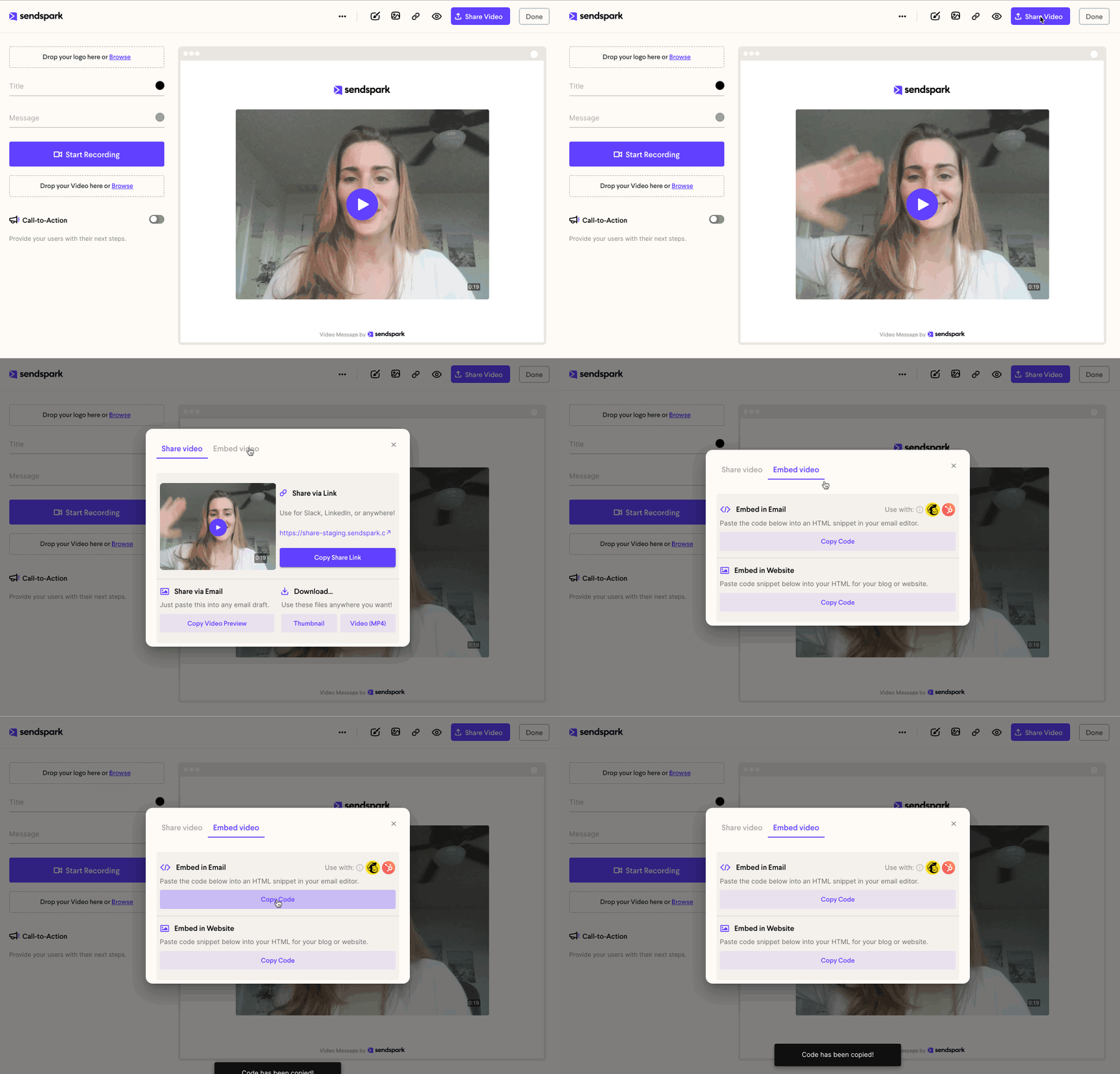 ## 5. Paste the code snippet into your Customer.io HTML block
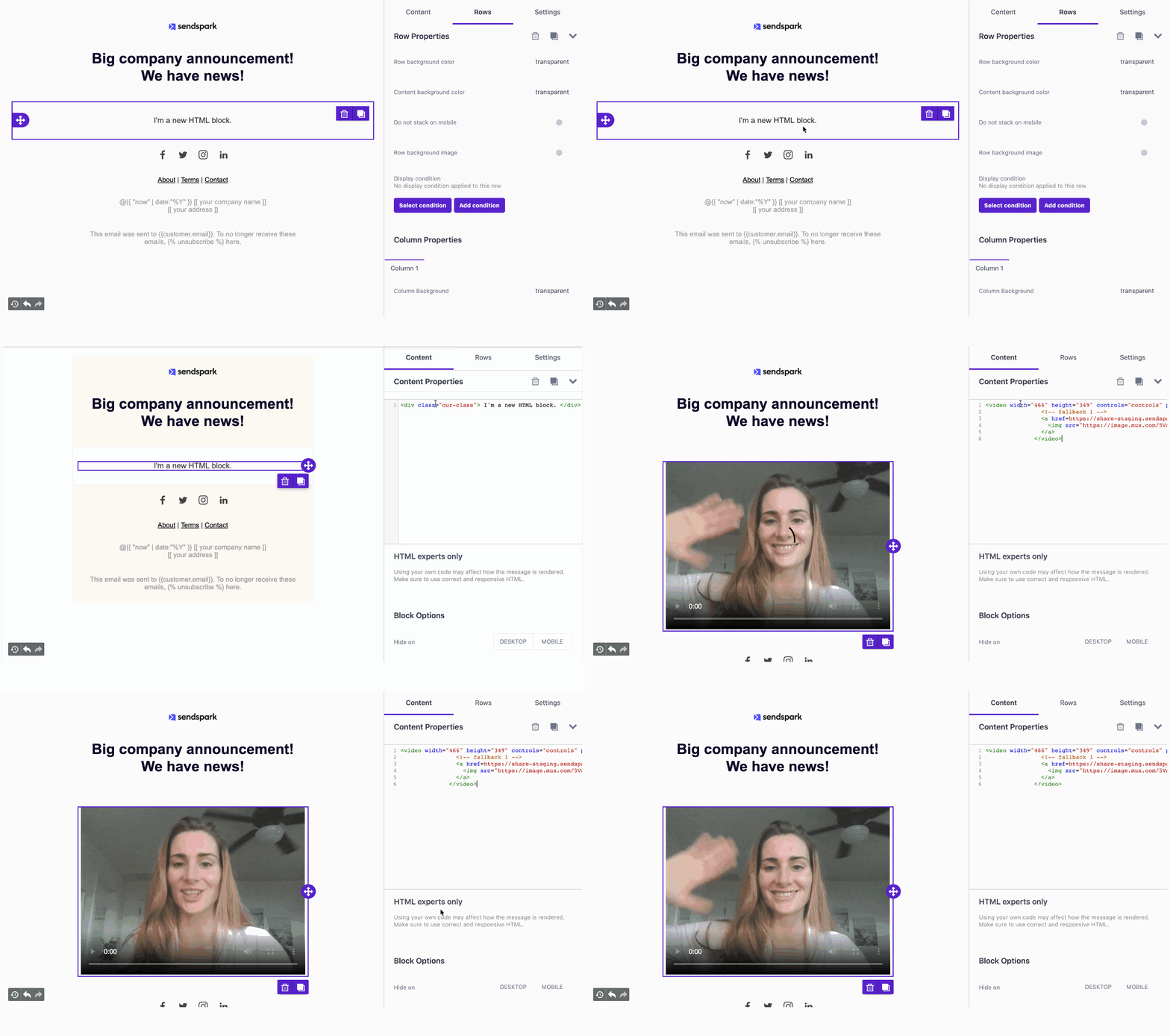 That's it!
Always make sure to send a test email to yourself to make sure you're happy with how the video shows up in different email providers.
If you have any questions at all, please reach out and we'll be happy to help you!
***
## Frequently asked questions
Create a new email in Customer.io, drag in an HTML content block, make your video in Sendspark, click Share and copy the email embed code, then paste the code snippet into your Customer.io HTML block.
Sendspark supplies a fallback image, so the recipient sees a preview image of the video and can click to play the video on an external landing page.
All of them. You can use any of Customer.io's email options: drag-and-drop, rich text, code, or a pre-built template.
Yes. Always send a test email to yourself to make sure you're happy with how the video shows up in different email providers.
*Updated July 2026.*
That's it!
Always make sure to send a test email to yourself to make sure you're happy with how the video shows up in different email providers.
If you have any questions at all, please reach out and we'll be happy to help you!
***
## Frequently asked questions
Create a new email in Customer.io, drag in an HTML content block, make your video in Sendspark, click Share and copy the email embed code, then paste the code snippet into your Customer.io HTML block.
Sendspark supplies a fallback image, so the recipient sees a preview image of the video and can click to play the video on an external landing page.
All of them. You can use any of Customer.io's email options: drag-and-drop, rich text, code, or a pre-built template.
Yes. Always send a test email to yourself to make sure you're happy with how the video shows up in different email providers.
*Updated July 2026.*