> ## Documentation Index
> Fetch the complete documentation index at: https://help.sendspark.com/llms.txt
> Use this file to discover all available pages before exploring further.
# Amplemarket — Send Dynamic Videos
> Create one Sendspark video and Amplemarket auto-personalizes name and website for every recipient, scaling AI-powered video outreach instantly.
To send AI-personalized videos in Amplemarket, create one Dynamic Video campaign in Sendspark, import your contacts, then click **Share Campaign** and select **Amplemarket** to get a snippet you paste into an Amplemarket email. Each recipient receives a video with their own name and website, and you can track views in Sendspark analytics.
## Key takeaways
* You only record **one** placeholder video in Sendspark; Amplemarket sends each recipient a version with their own name and website.
* Build the campaign in the [Dynamic Video section](https://sendspark.com/dynamic-videos) with options like AI voice cloning and simulated website scrolling.
* Add contacts by typing data manually, importing a CSV, or generating videos via automation (Zapier, API, etc.).
* Share by clicking **Share Campaign → Amplemarket**, then pasting the snippet into an Amplemarket email.
* Track who watched and how much via **See Engagement** at the bottom of the Dynamic Video Builder.
Sendspark makes it easy to send AI-personalized videos in Amplemarket.
So you can create just one placeholder video in Sendspark, and when you send it in Amplemarket, every recipient will receive a video with their own name and website in it.
## How to Send AI-Personalized Videos in Amplemarket
## 1. Create Dynamic Video Campaign in Sendspark
Go to the [dynamic video section](https://sendspark.com/dynamic-videos) of Sendspark.
Click **"Create Dynamic Video"** to create a new campaign.
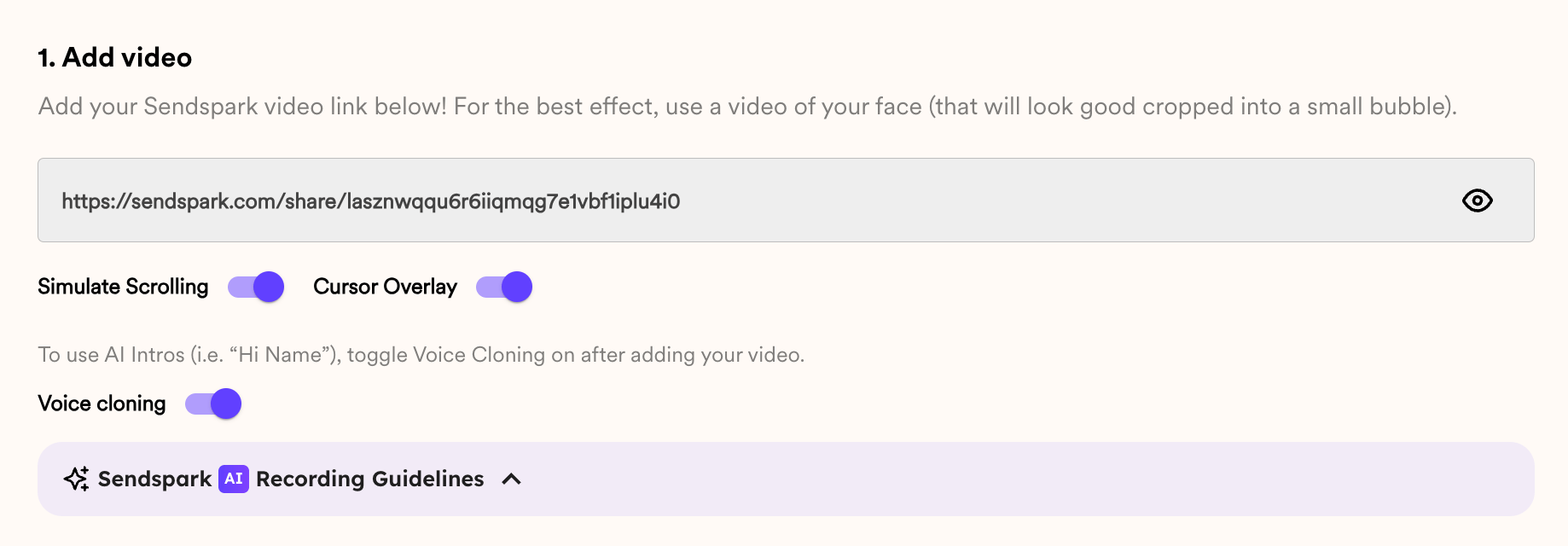
From here, you can add a video, and select options to...
* Use AI to clone your voice, so you can automatically greet each viewer by name
* Simulate scrolling through different website pages
* and more!
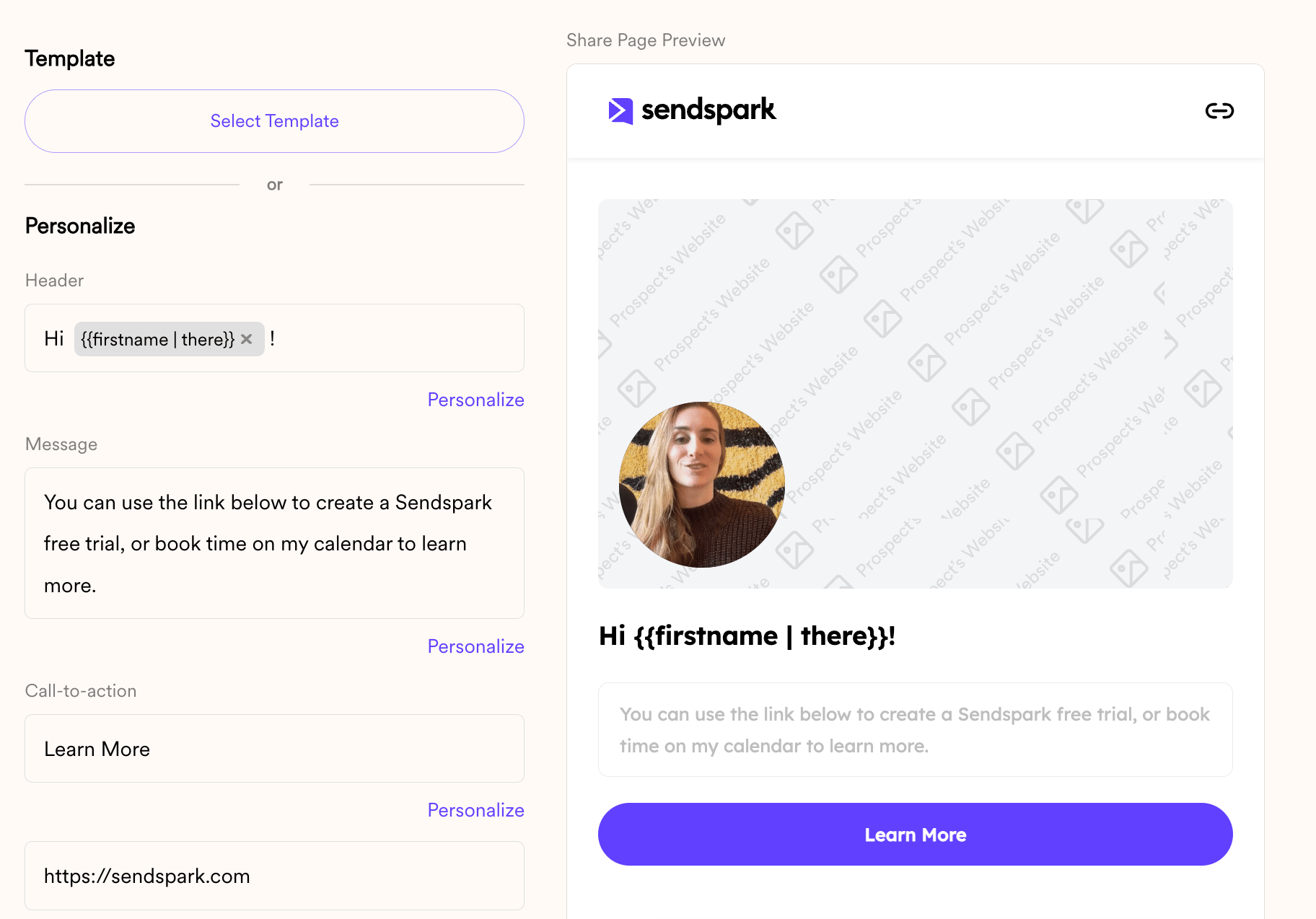
You can also customize video landing pages, so prospects will see more than just the video, and be able to book meetings or take actions immediately after watching.
Learn more about [creating dynamic videos here](/dynamic-videos-make-videos-with-ai-introductions).
## 2. Import Contacts
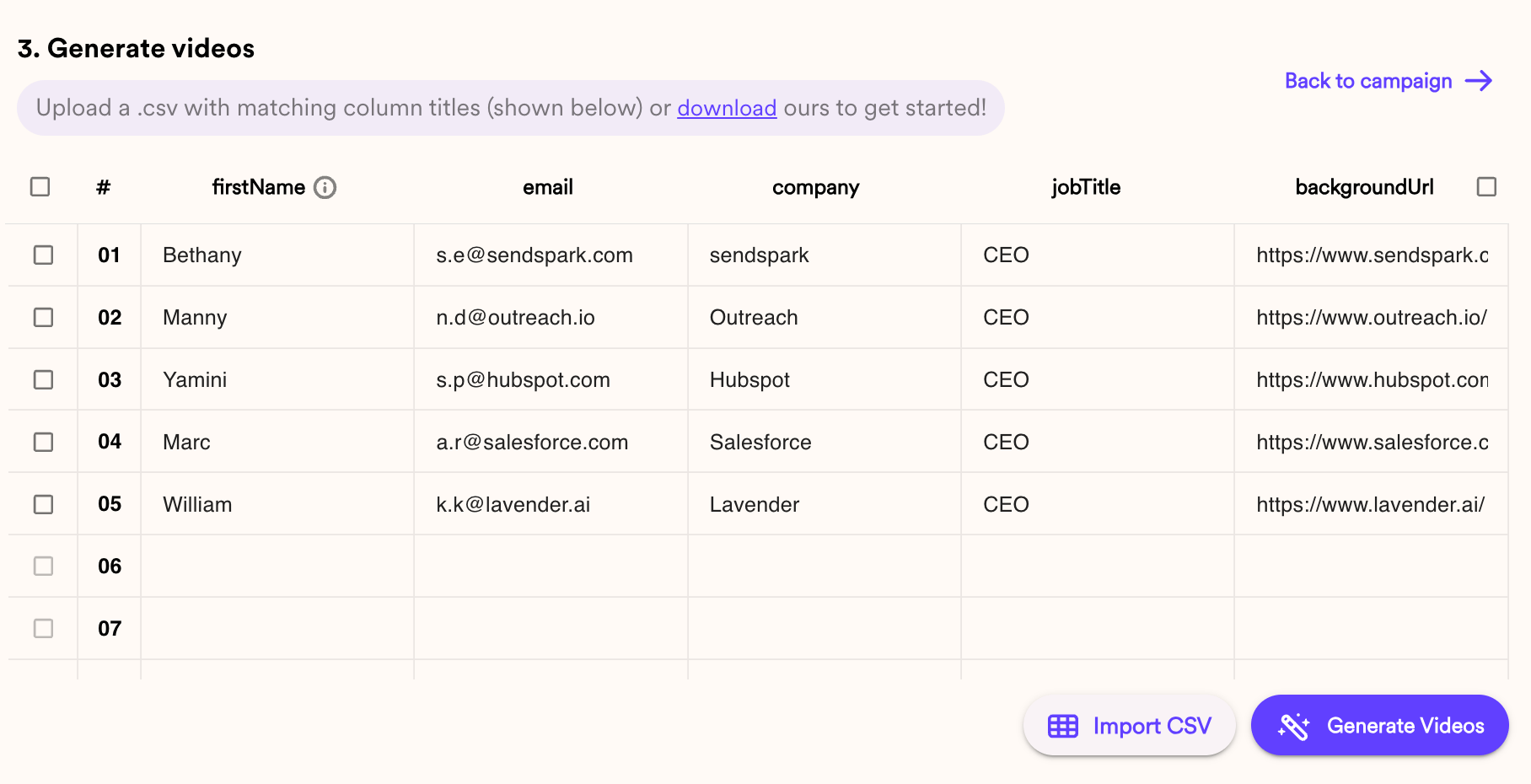
You can create dynamic videos for contacts in a few ways:
1. Manually type contact data
2. Import a CSV
3. Generate videos via automation (Zapier, API, etc)
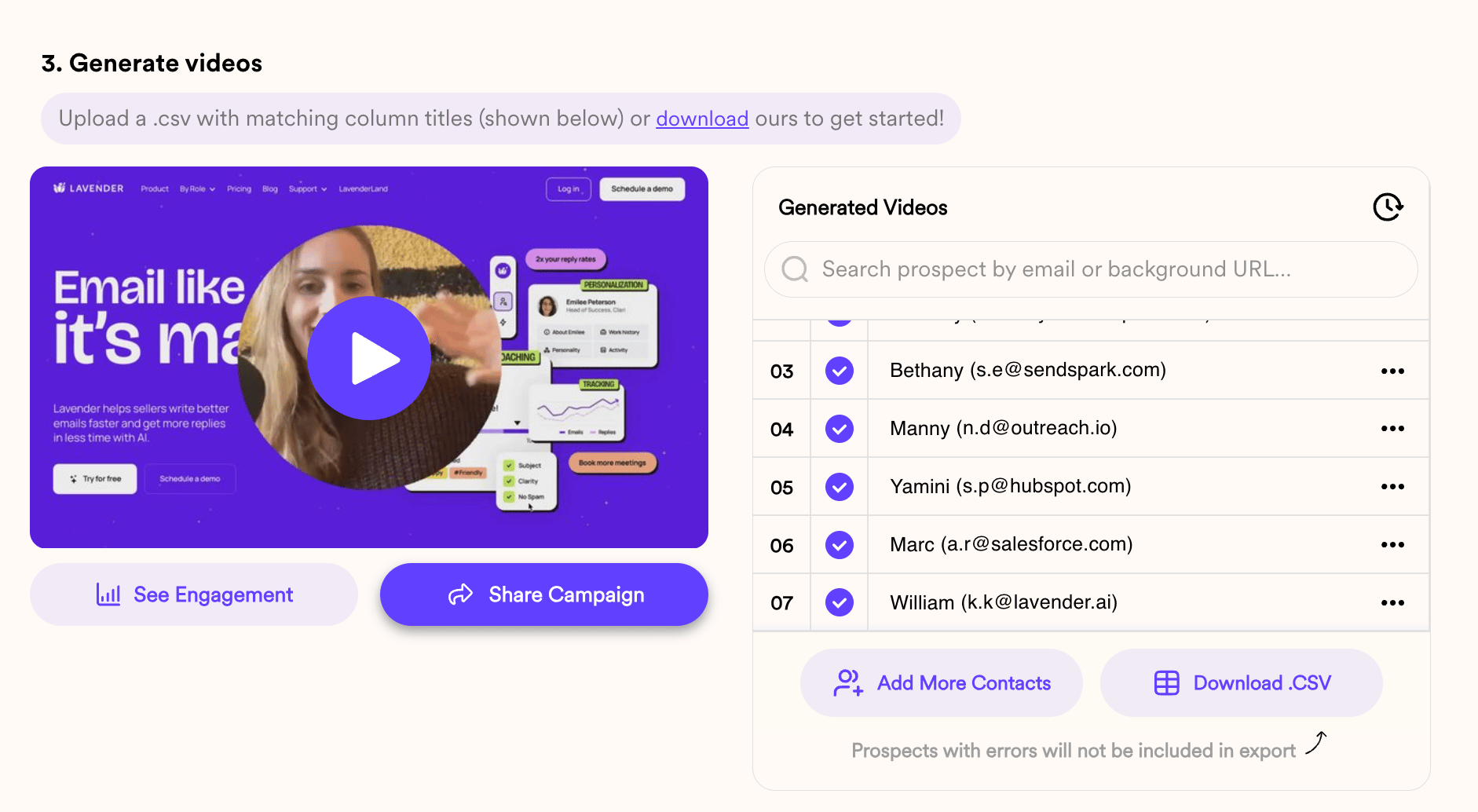
Once dynamic videos have been created, you'll see them populate, and can play them to test out the AI and make sure everything looks great.
## 3. Share in Amplemarket
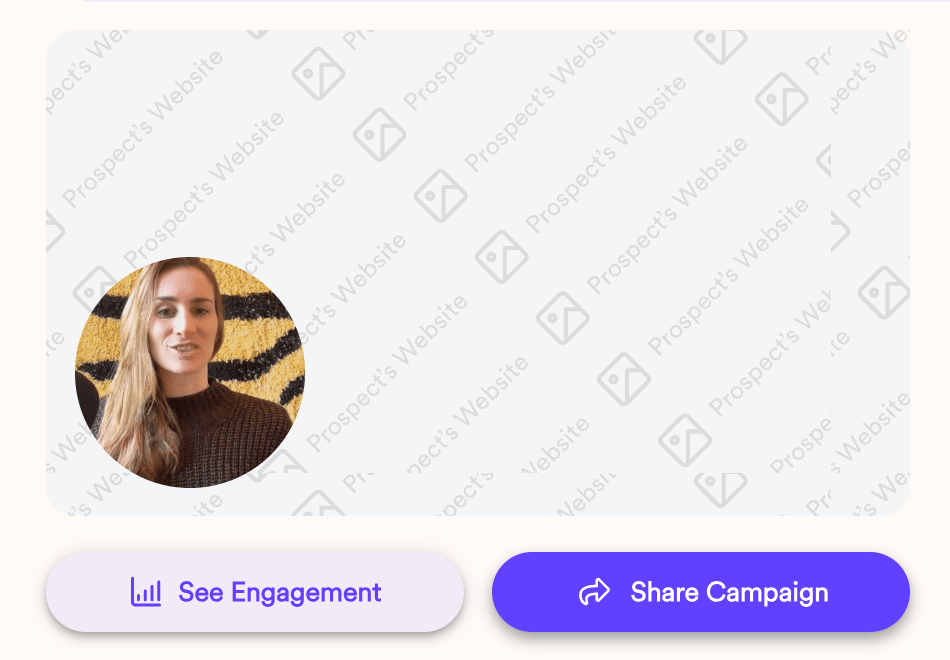
To share videos in Amplemarket, simply click **"Share Campaign"**
Then, select **"Amplemarket"**
Now, you can take that snippet and paste it in an email in Amplemarket.
## 4. Track Views & Engagement
Once people start to watch your video, you'll be able to see who's watching, what percentage they've watched, and what other they've taken in your video analytics.
Just click **"See Engagement"** at the bottom of your Dynamic Video Builder to view the analytics modal.
## Frequently asked questions
No. You create just one placeholder video in Sendspark. When you send it through Amplemarket, every recipient receives a video with their own name and website in it.
You can add contacts in a few ways: manually type contact data, import a CSV, or generate videos via automation such as Zapier or the API.
In Sendspark, click **Share Campaign**, select **Amplemarket**, then paste the snippet it provides into an email in Amplemarket.
Yes. When building the campaign you can use AI to clone your voice and greet each viewer by name, simulate scrolling through different website pages, and customize the video landing page so prospects can book meetings or take action right after watching.
Click **See Engagement** at the bottom of your Dynamic Video Builder to open the analytics modal, where you can see who's watching and what percentage of the video they've watched.
*Updated July 2026.*
 From here, you can add a video, and select options to...
* Use AI to clone your voice, so you can automatically greet each viewer by name
* Simulate scrolling through different website pages
* and more!
You can also customize video landing pages, so prospects will see more than just the video, and be able to book meetings or take actions immediately after watching.
From here, you can add a video, and select options to...
* Use AI to clone your voice, so you can automatically greet each viewer by name
* Simulate scrolling through different website pages
* and more!
You can also customize video landing pages, so prospects will see more than just the video, and be able to book meetings or take actions immediately after watching.
 Learn more about [creating dynamic videos here](/dynamic-videos-make-videos-with-ai-introductions).
## 2. Import Contacts
You can create dynamic videos for contacts in a few ways:
1. Manually type contact data
2. Import a CSV
3. Generate videos via automation (Zapier, API, etc)
Learn more about [creating dynamic videos here](/dynamic-videos-make-videos-with-ai-introductions).
## 2. Import Contacts
You can create dynamic videos for contacts in a few ways:
1. Manually type contact data
2. Import a CSV
3. Generate videos via automation (Zapier, API, etc)
 Once dynamic videos have been created, you'll see them populate, and can play them to test out the AI and make sure everything looks great.
 ## 3. Share in Amplemarket
To share videos in Amplemarket, simply click **"Share Campaign"**
Then, select **"Amplemarket"**
## 3. Share in Amplemarket
To share videos in Amplemarket, simply click **"Share Campaign"**
Then, select **"Amplemarket"**
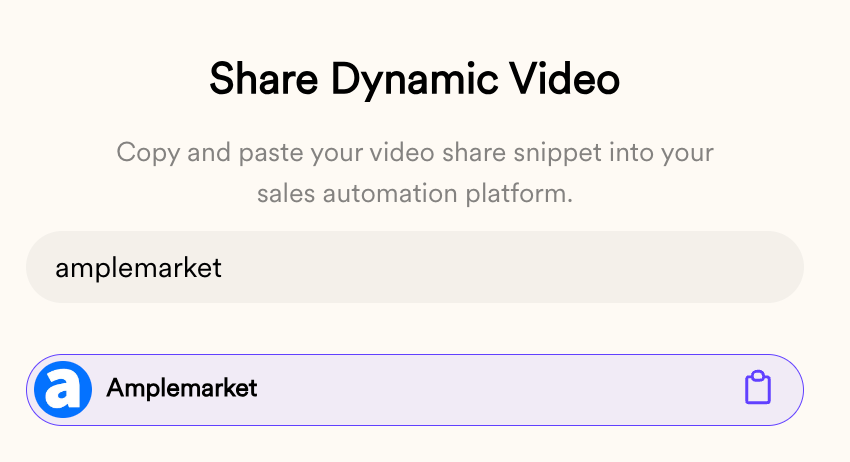 Now, you can take that snippet and paste it in an email in Amplemarket.
## 4. Track Views & Engagement
Once people start to watch your video, you'll be able to see who's watching, what percentage they've watched, and what other they've taken in your video analytics.
Now, you can take that snippet and paste it in an email in Amplemarket.
## 4. Track Views & Engagement
Once people start to watch your video, you'll be able to see who's watching, what percentage they've watched, and what other they've taken in your video analytics.
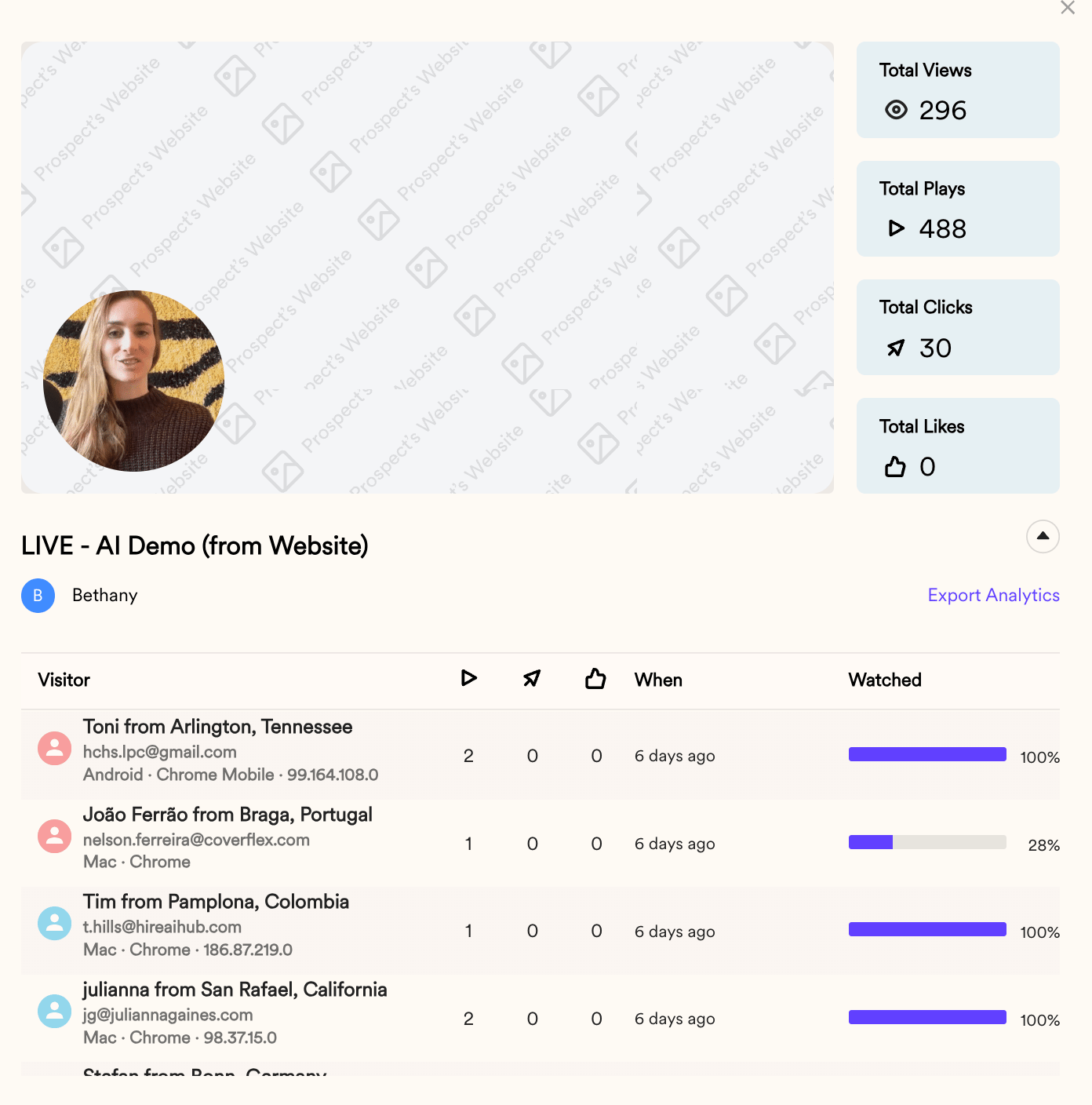 Just click **"See Engagement"** at the bottom of your Dynamic Video Builder to view the analytics modal.
 ## Frequently asked questions